How to Build an E-commerce Website in Nepal: A Complete 2027/28 Guide

How to Build an E-commerce Website in Nepal is an important question for entrepreneurs looking to take their businesses online. From choosing the right e-commerce platform and integrating Nepalese payment gateways to managing delivery, SEO, security, and customer support, building a successful online store requires careful planning.

If you are wondering how to build an e-commerce website in Nepal, this guide explains the process step by step—from choosing your business model and technology to accepting payments and attracting customers through Google and social media.

Why Build an E-commerce Website in Nepal?

Nepali consumers are increasingly comfortable discovering products online, comparing prices, communicating with sellers through digital channels, and making payments electronically. An e-commerce website allows a business to turn this behavior into a structured sales channel.

Unlike relying entirely on social media marketplaces, your own website gives you greater control over:

  • Product presentation
  • Pricing
  • Customer information
  • Branding
  • Online payments
  • Order management
  • Search engine visibility
  • Promotions
  • Customer experience
  • Long-term business growth

A website can also make a small business appear more established and trustworthy.

For example, a Kathmandu-based clothing brand can sell to customers in Pokhara, Chitwan, Butwal, Biratnagar, Nepalgunj, and other cities without opening physical stores in every location.


Define Your E-commerce Business Model

Before hiring a developer or purchasing hosting, determine exactly what you want your website to accomplish.

There are several common e-commerce models in Nepal.

B2C — Business to Consumer

This is the most common model. A business sells products directly to individual customers.

Examples include:

  • Clothing stores
  • Electronics stores
  • Beauty products
  • Grocery stores
  • Furniture
  • Handicrafts
  • Sports equipment

B2B — Business to Business

A website can also sell products to retailers, wholesalers, hotels, restaurants, offices, or other businesses.

For example, a wholesale supplier could allow registered retailers to view wholesale prices and place bulk orders.

Marketplace

A marketplace allows multiple sellers to list products through one platform. This is significantly more complicated because you need seller accounts, commissions, seller verification, payment settlements, dispute management, and marketplace administration.

Tip: If you are launching your first online business, starting with a single-vendor store is generally simpler than immediately building a marketplace.


Research Your Target Customers

A successful e-commerce website starts with customers—not technology.

Identify:

  • Who will buy your products?
  • Where do they live?
  • What problems are you solving?
  • What price range do they prefer?
  • How do they currently purchase similar products?
  • Do they prefer cash on delivery or online payment?
  • What devices do they use?
  • What questions do they ask before purchasing?

For example, a premium fashion store targeting Kathmandu customers may require a completely different website experience from a budget electronics store serving customers throughout Nepal.

Your customer research should influence your website’s:

  • Design
  • Navigation
  • Product descriptions
  • Pricing
  • Payment options
  • Delivery policies
  • Marketing strategy

Register Your Business Properly

One of the most important steps when learning how to build an e-commerce website in Nepal is understanding the legal side of operating an online business.

Your business structure may involve registration, PAN/VAT requirements, taxation, banking arrangements, and sector-specific permissions depending on what you sell.

Nepal’s Department of Commerce, Supplies and Consumer Protection publishes the Electronic Commerce (E-Commerce) Act, 2081 and related e-commerce information. The Department also provides online services related to electronic-commerce listing.

The Department has also published the Electronic Commerce (E-Commerce) Directive, 2082, so businesses should review the current legal and administrative requirements rather than relying on older blog posts or informal advice.

What should you check?

Depending on your business, investigate:

  • Business or company registration
  • PAN
  • VAT, where applicable
  • Business bank account
  • E-commerce listing/registration requirements
  • Product-specific licenses
  • Tax obligations
  • Consumer protection requirements
  • Return and refund policies
  • Privacy and data-handling requirements

Because regulations can change, verify the requirements with the relevant government authority or a qualified professional before launching.


Choose a Domain Name

Your domain is your website’s online address.

For example:

yourbrand.com.np

or

yourbrand.com

Choose a domain that is:

  • Short
  • Easy to remember
  • Easy to pronounce
  • Relevant to your brand
  • Easy to type
  • Free from unnecessary numbers and hyphens

If you plan to expand internationally later, a .com domain can be useful. If your primary market is Nepal, a Nepal-specific domain can also reinforce local identity.

Avoid domains that are too long or difficult to spell.


Select Reliable Web Hosting

After purchasing your domain, you need hosting.

Hosting stores your website’s files, databases, product information, images, and other resources on a server.

For an e-commerce website, hosting should provide:

  • SSL support
  • Reliable uptime
  • Regular backups
  • Adequate storage
  • Sufficient bandwidth
  • Database support
  • Security features
  • Scalable resources
  • Technical support

Do not choose hosting solely because it is cheap.

A slow website can increase abandonment, damage customer experience, and make it harder to convert visitors into buyers.

As your order volume increases, you may eventually need more powerful cloud or dedicated infrastructure.


Choose the Right E-commerce Platform

One of the biggest decisions is selecting the technology used to build the store.

You generally have three options.

Option 1: WordPress + WooCommerce

WooCommerce is a popular choice for small and medium-sized businesses.

Advantages include:

  • Lower initial development costs
  • Large plugin ecosystem
  • Flexible design
  • Easy content management
  • SEO-friendly architecture
  • Product management
  • Blogging capabilities

It can be particularly suitable for businesses that want both an online store and a content-driven website.

However, WooCommerce requires proper maintenance, security updates, backups, and optimization.

Option 2: Shopify or Other Hosted Platforms

Hosted e-commerce platforms can simplify technical management.

You generally don’t have to manage the server yourself, and many standard e-commerce functions are already available.

However, businesses in Nepal should carefully verify local payment-gateway compatibility, transaction arrangements, shipping requirements, and other Nepal-specific integrations before committing to a platform.

Option 3: Custom E-commerce Development

A custom website can be developed using technologies such as:

  • Laravel
  • PHP
  • Node.js
  • React
  • Next.js
  • Python
  • MySQL/PostgreSQL

Custom development makes sense when you require specialized functionality.

For example:

  • Complex inventory systems
  • Multiple vendors
  • Wholesale pricing
  • Advanced product configurators
  • ERP integration
  • Custom logistics
  • Subscription systems
  • Large product catalogs

For many small businesses, however, a well-configured existing platform can be more cost-effective than building everything from scratch.


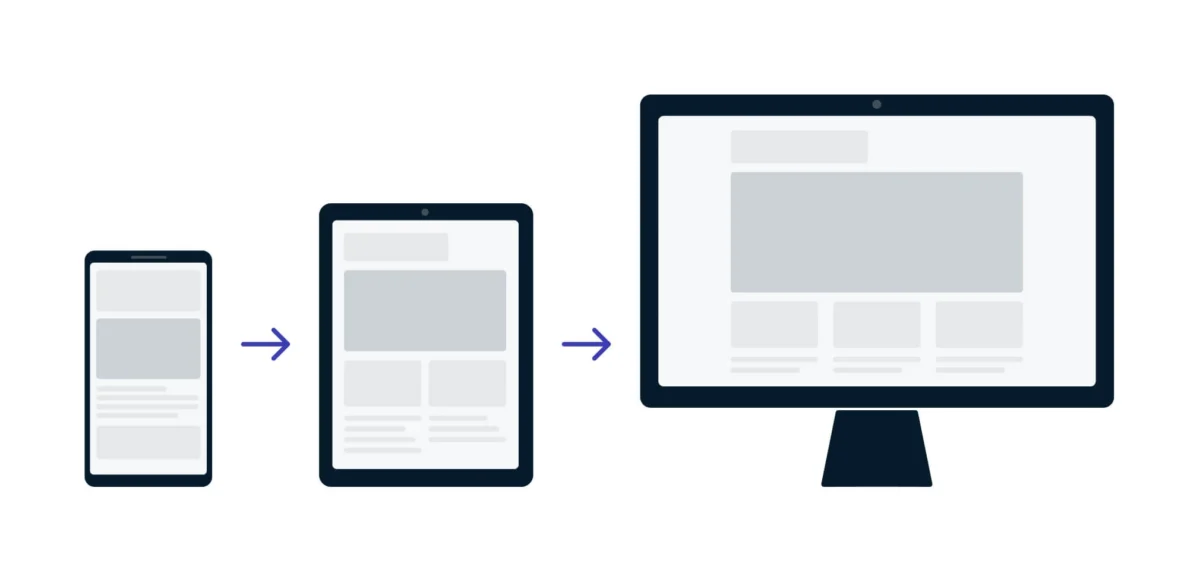
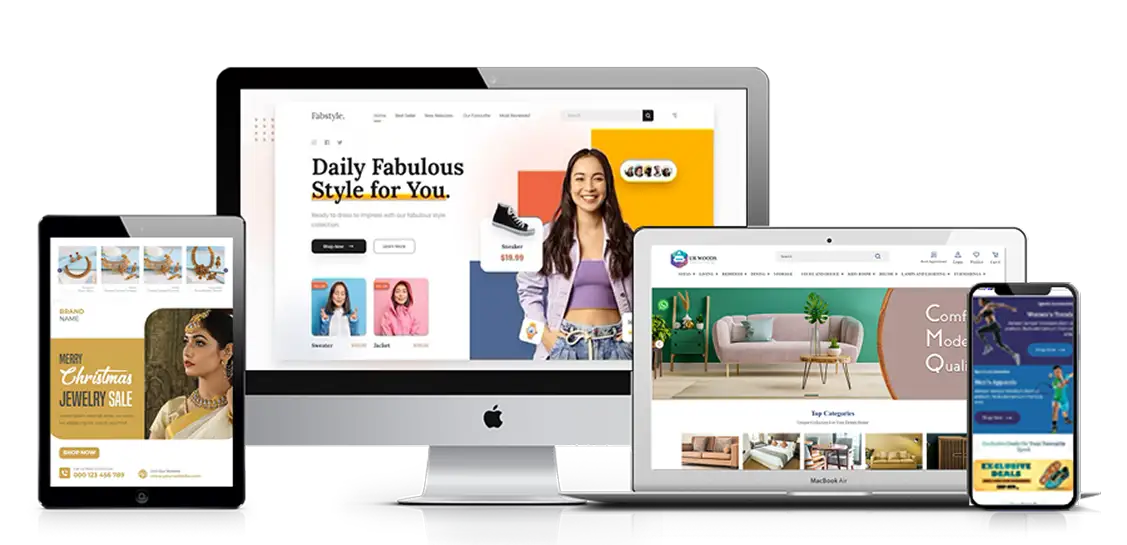
Design a Mobile-Friendly Website

Mobile responsiveness is essential.

Many customers will discover your products through:

  • Facebook
  • Instagram
  • TikTok
  • Google Search
  • Messenger
  • WhatsApp
  • Other mobile channels

They may immediately open your website from a smartphone.

Your website should therefore work smoothly on:

  • Smartphones
  • Tablets
  • Laptops
  • Desktop computers

The mobile shopping experience should include:

  • Large readable text
  • Clear product images
  • Easy navigation
  • Simple checkout
  • Fast loading
  • Touch-friendly buttons
  • Easily accessible search
  • Mobile-friendly payment options

Avoid cluttering the homepage with too many banners, pop-ups, animations, and unnecessary elements.


Create an Effective Product Catalog

Your product pages are among the most important parts of the website.

Every product should ideally include:

  • Product name
  • High-quality photographs
  • Price
  • Discount, if applicable
  • Product description
  • Features
  • Specifications
  • Available sizes
  • Colors or variants
  • Stock status
  • Delivery information
  • Return information
  • Customer reviews
  • Frequently asked questions

Use High-Quality Product Images

Customers cannot physically touch your products online.

Images therefore need to provide as much information as possible.

Consider using:

  • Front images
  • Side images
  • Close-up images
  • Lifestyle photographs
  • Size references
  • Packaging photographs

For clothing, include measurements and size charts.

For electronics, provide detailed specifications.

For food products, include ingredients, weight, expiry information, and relevant product details where appropriate.


Build Simple Website Navigation

A customer should be able to find a product quickly.

A basic structure could look like:

Home → Category → Subcategory → Product → Cart → Checkout

Useful categories might include:

  • Men’s Fashion
  • Women’s Fashion
  • Electronics
  • Home & Living
  • Beauty
  • Accessories
  • Offers
  • New Arrivals

Use filters when you have a large inventory.

Customers may want to filter products by:

  • Price
  • Brand
  • Size
  • Color
  • Rating
  • Availability
  • Product type

Good navigation improves both user experience and SEO.


Integrate Payment Gateways in Nepal

Payment integration is one of the most important components of an e-commerce website in Nepal.

Depending on your business and eligibility, you can explore services such as eSewa and Khalti, alongside other available banking and payment options.

eSewa

eSewa provides an ePay system for partner merchants. Its documented transaction flow redirects customers to eSewa for payment and returns them to the merchant website after the transaction. Merchants can also use transaction verification mechanisms to confirm payment status.

eSewa Developer Documentation

Khalti

Khalti’s payment gateway supports several payment methods, including Khalti, eBanking, mobile banking, cards, and connectIPS, depending on the available merchant configuration. Its documentation provides API and SDK resources for integration.

Khalti Payment Gateway

Before selecting a gateway, confirm:

  • Merchant eligibility
  • Required documents
  • Integration process
  • Transaction fees
  • Settlement arrangements
  • Refund process
  • Supported payment methods
  • Testing/sandbox availability
  • Current commercial terms

Do not rely on outdated articles for gateway pricing because commercial terms can change.


Keep Cash on Delivery as an Option

Although digital payments are increasingly important, Cash on Delivery (COD) can remain useful for reaching customers who are hesitant to pay online.

Your checkout could offer:

Payment Method

  • Cash on Delivery
  • eSewa
  • Khalti
  • Bank-based payment
  • Other supported digital payment options

However, COD creates additional operational risks.

Customers may:

  • Refuse delivery
  • Provide incorrect phone numbers
  • Change their minds
  • Place duplicate orders

You can reduce these problems by confirming high-value orders before dispatch.


Integrate Delivery and Logistics

An e-commerce website is incomplete without an effective delivery process.

Your logistics system should define:

  • Delivery areas
  • Delivery fees
  • Estimated delivery times
  • Same-day delivery availability
  • Outside-Valley delivery
  • Return pickup
  • Failed delivery procedures

You may work with third-party courier companies or develop your own delivery team.

Your website should clearly communicate delivery charges before customers complete payment.

For example:

Kathmandu Valley: NPR X
Major Cities: NPR X
Other Locations: Calculated at checkout

Avoid surprising customers with additional charges after they have already entered the checkout process.


Build a Secure Checkout Process

A complicated checkout can cause customers to abandon their carts.

Ideally, the customer should be able to:

  1. Add product to cart
  2. Review cart
  3. Enter delivery information
  4. Select payment
  5. Confirm order
  6. Receive confirmation

Do not force customers to create an account unless it is necessary.

You can offer:

Guest Checkout

alongside optional account creation.

The checkout should also clearly show:

  • Product price
  • Quantity
  • Discount
  • Delivery charge
  • Total amount
  • Payment method
  • Delivery address

Add Essential Legal and Trust Pages

A professional e-commerce website should include important informational pages.

Consider:

  • About Us
  • Contact Us
  • Privacy Policy
  • Terms and Conditions
  • Shipping Policy
  • Return Policy
  • Refund Policy
  • Cancellation Policy
  • Frequently Asked Questions

Your policies should match how your business actually operates.

Do not copy generic policies from another website without adapting them to your business.

Clear policies reduce misunderstandings and help customers make informed purchasing decisions.


Optimize Your E-commerce Website for SEO

SEO can help your website attract customers without paying for every click.

Your SEO strategy should cover:

Keyword Research

Research phrases customers might search for.

For example:

  • Buy shoes online Nepal
  • Online clothing store Nepal
  • Buy laptops in Nepal
  • Handmade products Nepal
  • Organic products Kathmandu

Product Page SEO

Optimize:

  • Product title
  • URL
  • Meta title
  • Meta description
  • Product description
  • Image alt text
  • Internal links

Avoid copying manufacturer descriptions word-for-word.

Write original content that answers customer questions.

Category Page SEO

Category pages can target broader searches.

For example:

Men’s Shoes in Nepal

could include useful information about:

  • Available brands
  • Sizes
  • Materials
  • Price ranges
  • Delivery
  • Buying considerations

This creates a useful landing page instead of simply displaying products.


Improve Website Speed

Website speed is particularly important for mobile shoppers.

Optimize:

  • Image sizes
  • JavaScript
  • CSS
  • Plugins
  • Server response time
  • Caching
  • Database queries
  • Third-party scripts

Use modern image formats where appropriate and avoid uploading enormous photographs directly from professional cameras without compression.

A fast website improves usability and can support better search performance.


Add Analytics and Conversion Tracking

Launching a website without measuring performance is like opening a physical shop without counting customers.

Set up analytics to monitor:

  • Website visitors
  • Product views
  • Add-to-cart events
  • Checkout starts
  • Purchases
  • Revenue
  • Traffic sources
  • Popular products
  • Abandoned carts

You should be able to answer questions such as:

Which products receive the most traffic?

Which products sell the most?

Where do customers leave the checkout?

Which marketing channel generates revenue?

This information can guide future decisions.


Promote Your E-commerce Website

Building the website is only the beginning.

You need a marketing strategy.

Social Media Marketing

Use platforms where your customers already spend time.

Create:

  • Product videos
  • Demonstrations
  • Customer testimonials
  • Before-and-after content
  • Educational content
  • Offers
  • New-product announcements

Google SEO

Create helpful content around customer searches.

For example, a furniture store could publish:

  • How to choose furniture for a small apartment
  • Best office chairs for home offices
  • How to maintain wooden furniture
  • Dining table size guide

These articles can introduce potential customers to your brand before they are ready to purchase.

Paid Advertising

You can also use paid advertising to promote:

  • Best-selling products
  • Seasonal offers
  • New collections
  • Remarketing campaigns
  • Special discounts

The goal should not simply be website traffic. Track whether the traffic generates profitable sales.


Use Customer Reviews to Build Trust

Online shoppers want reassurance before purchasing.

Customer reviews can help answer questions such as:

  • Is the product genuine?
  • Is the quality good?
  • Is the size accurate?
  • Was delivery reliable?
  • Did the product look like the photographs?

Encourage genuine customers to leave reviews after receiving their orders.

You can also include:

  • Verified purchase labels
  • Customer photographs
  • Video testimonials
  • Ratings
  • Frequently asked questions

Never create fake reviews. Authenticity is much more valuable for long-term e-commerce growth.


Protect Customer and Business Data

Security should be treated as a fundamental business requirement.

Your website should use:

  • HTTPS/SSL
  • Secure administrator accounts
  • Strong passwords
  • Two-factor authentication where available
  • Regular backups
  • Updated software
  • Secure payment integration
  • Malware monitoring
  • Restricted administrative permissions

Never store sensitive payment information unnecessarily.

Payment gateways should handle payment-sensitive processes through their supported secure mechanisms rather than having your website improperly collect or retain financial credentials.


Test Everything Before Launch

Before announcing your website publicly, perform complete testing.

Test:

Product

  • Images
  • Prices
  • Variants
  • Inventory
  • Descriptions

Checkout

  • Cart
  • Coupon codes
  • Delivery charges
  • Customer information
  • Order confirmation

Payments

Test every enabled payment method in the appropriate testing/live environment.

eSewa’s documentation specifically describes transaction status and verification processes, while Khalti provides test keys and integration documentation for merchant integration.

Mobile

Test the website on different smartphone sizes.

Email/SMS

Confirm that customers receive:

  • Order confirmation
  • Payment confirmation where applicable
  • Shipping updates
  • Delivery information

Estimate the Cost of Building an E-commerce Website in Nepal

The cost can vary substantially depending on your requirements.

A basic online store may require:

  • Domain
  • Hosting
  • Website design
  • Development
  • E-commerce platform
  • Payment integration
  • Product uploading
  • SSL/security
  • SEO
  • Maintenance

A small business using an existing platform can keep initial development relatively affordable.

A customized store with advanced inventory, ERP integration, multiple payment systems, sophisticated logistics, mobile applications, or marketplace functionality can cost substantially more.

Instead of asking only:

“How much does an e-commerce website cost in Nepal?”

ask:

“What functionality does my business actually need?”

A simple, fast, conversion-focused website is often better than an expensive website filled with features customers never use.


Common Mistakes to Avoid

Several mistakes can prevent an e-commerce website from succeeding.

Choosing Technology Before Understanding the Business

Do not start by asking a developer which programming language to use.

Start with:

What do customers need and what does the business need to operate efficiently?

Poor Product Photography

Low-quality photographs can make even excellent products look unattractive.

Complicated Checkout

Every unnecessary step increases friction.

No Delivery Information

Customers should know when and how their order will arrive.

Ignoring Mobile Users

A desktop-focused website can lose a significant portion of potential customers.

No SEO Strategy

A beautiful website without discoverable content may receive very little organic traffic.

Ignoring Website Maintenance

Plugins, frameworks, payment integrations, security systems, and other components require ongoing maintenance.

Treating Social Media as the Entire Business

Social media can be an excellent acquisition channel, but having your own website gives you greater control over your online storefront and customer journey.


A Practical E-commerce Website Launch Checklist

Before launch, make sure you have completed the following:

Business

  • Business registration
  • PAN/VAT considerations
  • Business bank account
  • E-commerce regulatory requirements
  • Product-specific compliance

Website

  • Domain
  • Hosting
  • SSL
  • Responsive design
  • Product catalog
  • Search
  • Categories
  • Shopping cart
  • Checkout

Payments

  • Payment gateway merchant account
  • Digital payment integration
  • COD option where appropriate
  • Transaction testing

Operations

  • Delivery partners
  • Delivery pricing
  • Return policy
  • Refund process
  • Inventory management
  • Order processing

Marketing

  • Google-friendly website structure
  • Analytics
  • Social media profiles
  • Product photography
  • SEO content
  • Advertising strategy

Security

  • Backups
  • Secure passwords
  • Admin protection
  • Software updates
  • Malware monitoring

Conclusion

Learning how to build an e-commerce website in Nepal involves much more than designing attractive web pages. A successful online store combines a clear business model, appropriate technology, strong product presentation, secure payment systems, reliable delivery, customer-friendly policies, SEO, marketing, and ongoing maintenance.

For a small Nepali business, the best approach is often to start with a focused online store rather than trying to build an enormous platform immediately. Choose a manageable product range, create a fast mobile-friendly website, integrate suitable local payment options, establish dependable delivery, and build trust through transparent policies and genuine customer reviews.

Most importantly, pay attention to Nepal’s current e-commerce regulatory environment. The Department of Commerce, Supplies and Consumer Protection has published the Electronic Commerce Act 2081 and the subsequent E-Commerce Directive 2082, making regulatory compliance an essential part of launching and operating an online business in Nepal.

Once the foundation is in place, you can gradually expand with advanced SEO, advertising, automation, analytics, personalized recommendations, inventory integrations, loyalty programs, and mobile applications.

The goal should not simply be to build an e-commerce website in Nepal. The goal is to build an online sales system that is easy to use, legally compliant, secure, trustworthy, searchable, and capable of growing with your business.
20 Essential Features Every Business Website Should Have

A business website is no longer just an online brochure—it’s often the first interaction potential customers have with your brand. Whether you operate a local business, an eCommerce store, a service company, or a global enterprise, your website plays a critical role in building trust, generating leads, and driving sales.

The most successful companies understand that a Professional Business Website must do far more than look attractive. It should be fast, secure, mobile-friendly, easy to navigate, and optimized for search engines and conversions. Investing in the right Business Website Features not only improves the user experience but also strengthens your online visibility and helps turn visitors into loyal customers.

In this guide, we’ll explore the 20 essential features every modern business website should include and explain why each one contributes to long-term digital success.


Why Website Features Matter

A website influences nearly every stage of the customer journey.

Visitors use it to:

  • Learn about your business
  • Compare products or services
  • Read reviews
  • Contact your team
  • Request quotes
  • Make purchases

If your website lacks essential features, users may leave within seconds and choose a competitor instead.

A well-designed website creates confidence, improves engagement, and supports your marketing efforts across search engines, social media, and paid advertising.


Mobile-Responsive Design

More than half of global website traffic comes from mobile devices.

A responsive website automatically adjusts to different screen sizes, ensuring visitors enjoy a seamless experience whether they’re using:

  • Smartphones
  • Tablets
  • Laptops
  • Desktop computers

Responsive design also supports better search engine rankings and improves user satisfaction.


Fast Loading Speed

Speed directly affects user experience.

Visitors expect websites to load within a few seconds.

A slow website often results in:

  • Higher bounce rates
  • Lower conversions
  • Reduced search visibility
  • Poor customer experience

Optimize:

  • Images
  • Code
  • Hosting
  • Caching
  • Content delivery networks (CDNs)

to improve loading times.


Clear Navigation

Visitors should immediately understand where to find information.

Effective navigation includes:

  • Simple menus
  • Logical page hierarchy
  • Easy-to-find contact information
  • Internal links
  • Search functionality

The fewer clicks required, the better the user experience.


Strong Homepage

Your homepage should clearly communicate:

  • Who you are
  • What you offer
  • Who you serve
  • Why customers should choose you

Avoid clutter and focus on a clear value proposition supported by compelling visuals and calls to action.


Professional Branding

Consistent branding builds recognition and trust.

Include:

  • Company logo
  • Brand colors
  • Typography
  • Professional imagery
  • Consistent messaging

A cohesive brand identity makes your business more memorable.


Secure HTTPS Connection

Website security is essential.

An SSL certificate encrypts user data and displays the secure padlock icon in browsers.

HTTPS helps:

  • Protect customer information
  • Build trust
  • Improve SEO
  • Support online transactions

Easy-to-Find Contact Information

Never make visitors search for your contact details.

Include:

  • Phone number
  • Email address
  • Contact form
  • Physical address (if applicable)
  • Business hours
  • Interactive map

The easier you are to contact, the more inquiries you’ll receive.


Clear Calls-to-Action (CTAs)

Every page should guide visitors toward a desired action.

Examples include:

  • Request a Quote
  • Contact Us
  • Book a Consultation
  • Buy Now
  • Schedule a Demo
  • Download a Guide

Effective CTAs improve conversion rates significantly.


Search Engine Optimization (SEO)

A beautiful website has little value if customers can’t find it.

SEO essentials include:

  • Optimized page titles
  • Meta descriptions
  • Header tags
  • Internal linking
  • Image optimization
  • Keyword-focused content
  • Schema markup

Good SEO increases organic visibility and attracts qualified traffic.


High-Quality Content

Content educates visitors while supporting search engine rankings.

Include:

  • Service pages
  • Product descriptions
  • Blog articles
  • FAQs
  • Case studies
  • Customer resources

Useful content establishes your authority in your industry.


Customer Testimonials and Reviews

Social proof builds credibility.

Showcase:

  • Client testimonials
  • Google reviews
  • Success stories
  • Case studies
  • Ratings

Authentic customer experiences help reduce uncertainty and encourage new inquiries.


About Us Page

People prefer doing business with companies they know and trust.

An effective About page explains:

  • Company history
  • Mission
  • Values
  • Team members
  • Experience
  • Achievements

Personal stories create stronger connections with visitors.


Service or Product Pages

Each service or product deserves its own dedicated page.

Detailed pages improve:

  • SEO
  • User understanding
  • Conversion rates

Include:

  • Benefits
  • Features
  • Pricing (when appropriate)
  • FAQs
  • Calls-to-action

Contact Forms That Are Simple

Avoid overwhelming users with lengthy forms.

Ask only for necessary information such as:

  • Name
  • Email
  • Phone number
  • Message

Short forms generally generate higher completion rates.


Social Media Integration

Connect your website with your social platforms.

Include links to:

  • Facebook
  • Instagram
  • LinkedIn
  • YouTube
  • X (formerly Twitter)

Social integration helps expand your audience and strengthen your brand presence.


Analytics and Performance Tracking

Understanding visitor behavior allows continuous improvement.

Track metrics such as:

  • Traffic sources
  • Bounce rate
  • Conversions
  • Popular pages
  • User journeys

Tools like Google Analytics and Google Search Console provide valuable insights for business growth.


Accessibility Features

An inclusive website reaches a wider audience.

Accessibility improvements include:

  • Alt text for images
  • Keyboard navigation
  • Readable fonts
  • Color contrast
  • Clear headings

Accessible websites provide better experiences for all users.


Frequently Asked Questions (FAQ)

FAQs reduce customer uncertainty and save support time.

Common topics include:

  • Pricing
  • Shipping
  • Returns
  • Appointments
  • Payment methods
  • Services

They also help improve SEO by addressing common search queries.


Live Chat or Chat Support

Many customers prefer immediate assistance.

Live chat can:

  • Answer questions
  • Capture leads
  • Improve customer satisfaction
  • Increase sales

Even AI-powered chat tools can provide quick responses outside business hours.


Regular Updates and Maintenance

Launching a website is only the beginning.

Routine maintenance should include:

  • Software updates
  • Security monitoring
  • Broken link checks
  • Backup management
  • Content updates
  • Performance optimization

A regularly maintained website remains secure, fast, and competitive.


Common Mistakes Businesses Should Avoid

Even attractive websites can underperform if they suffer from common issues.

Avoid:

  • Slow loading pages
  • Outdated information
  • Broken links
  • Poor mobile experience
  • Confusing navigation
  • Weak calls-to-action
  • Low-quality content
  • Missing contact details
  • Inconsistent branding
  • Ignoring SEO

Addressing these problems can significantly improve user engagement and search performance.


How These Features Work Together

No single feature guarantees success.

Instead, these elements work together to create a website that is:

  • Easy to use
  • Fast
  • Secure
  • Trustworthy
  • Search-engine friendly
  • Conversion-focused

When visitors can quickly find information, trust your business, and complete desired actions, your website becomes one of your most valuable marketing assets.


Future-Proofing Your Business Website

Technology and customer expectations continue to evolve.

Modern businesses should regularly review their websites to ensure they meet current standards for:

  • Mobile usability
  • Speed
  • Security
  • Accessibility
  • SEO
  • User experience

Adding new functionality and updating content keeps your website competitive in an increasingly digital marketplace.


Final Thoughts

A successful website is more than an attractive design—it is a strategic business tool that supports marketing, customer service, brand credibility, and revenue growth. By incorporating these Business Website Features, companies can create a Professional Business Website that delivers exceptional user experiences while supporting long-term business goals. Whether you’re building a new site or improving an existing one, prioritizing responsive design, security, speed, SEO, accessibility, and engaging content will help your business stand out in a competitive online environment. Investing in quality Business Website Development today creates a stronger digital presence that continues generating value for years to come.


Frequently Asked Questions

1. Why is responsive website design important?

Responsive websites provide a consistent experience across desktops, tablets, and smartphones while supporting better SEO performance.


2. How often should a business website be updated?

Content should be reviewed regularly, while software, security, and maintenance updates should be performed as needed to keep the site secure and efficient.


3. Does every business need SEO?

Yes. SEO helps customers discover your website through search engines, increasing organic traffic and qualified leads.


4. What is the most important business website feature?

While all features contribute to success, responsive design, fast loading speed, strong security, quality content, and clear calls-to-action have the greatest impact.


5. Can a website help generate more sales?

Absolutely. A well-designed website improves credibility, attracts targeted traffic, and encourages visitors to contact your business or make purchases.

Custom Website vs WordPress: Which Is Better?

Choosing the right platform for your website is one of the most important business decisions you’ll make. The debate surrounding Custom Website vs WordPress continues because both options have unique strengths and limitations. Whether you’re launching a personal brand, an online store, or a corporate website, your choice directly impacts performance, security, scalability, search engine rankings, and long-term growth.

Many businesses begin with WordPress because it is affordable and quick to launch. Others invest in custom website development to create a unique digital experience tailored specifically to their goals. Neither solution is universally better—the right choice depends on your business requirements, budget, growth plans, and technical expectations.

In this comprehensive guide, we’ll compare custom websites and WordPress across every important factor to help you make an informed decision while understanding which solution delivers the greatest value for your business.


Understanding a Custom Website

A custom website is designed and developed from the ground up according to your business needs. Developers create every feature, page, function, and user experience specifically for your company instead of relying on pre-built templates.

Unlike template-based systems, custom websites offer complete flexibility. Every design element, database structure, functionality, and performance optimization is built specifically for your organization.

Custom websites commonly use technologies such as:

  • Laravel
  • React
  • Vue.js
  • Node.js
  • Django
  • ASP.NET
  • PHP Frameworks

Since every component is customized, businesses gain greater control over performance, security, branding, and future development.


What Is WordPress?

WordPress is the world’s most popular Content Management System (CMS), powering millions of websites worldwide.

Originally created for blogging, WordPress has evolved into a versatile platform capable of building:

  • Business websites
  • Blogs
  • E-commerce stores
  • Portfolios
  • Membership websites
  • Educational websites
  • News portals

WordPress offers thousands of themes and plugins, allowing users with limited technical knowledge to create functional websites relatively quickly.

Its large ecosystem is one of its greatest strengths, making website management easier for beginners.


Design Flexibility

One of the biggest differences in the Custom Website vs WordPress comparison is design freedom.

Custom Website

A custom-built website has no creative limitations.

Developers can create:

  • Unique page layouts
  • Interactive animations
  • Personalized customer journeys
  • Advanced dashboards
  • Custom booking systems
  • Industry-specific features

Everything is built around your business instead of adapting your business to existing templates.

WordPress

WordPress offers thousands of attractive themes.

However:

  • Many websites end up looking similar.
  • Extensive customization often requires additional plugins.
  • Heavy customization can affect website performance.
  • Premium themes may include unnecessary features that slow loading times.

Winner: Custom Website


Performance and Speed

Website speed affects user experience, SEO rankings, and conversion rates.

Custom Website

Custom websites include only the necessary code.

Advantages include:

  • Faster loading
  • Optimized database queries
  • Lightweight architecture
  • Better Core Web Vitals
  • Reduced server requests

Because unnecessary plugins aren’t installed, websites remain fast and efficient.

WordPress

Performance depends on:

  • Number of plugins
  • Theme quality
  • Hosting provider
  • Image optimization
  • Database maintenance

Poorly optimized WordPress websites can become slow over time.

Winner: Custom Website


SEO Capabilities

Search engine optimization determines how easily customers can find your website.

Custom Website

Developers can optimize:

  • Clean code
  • Schema markup
  • Page speed
  • URL structure
  • Metadata
  • Image optimization
  • Technical SEO
  • Mobile responsiveness

Everything is built according to SEO best practices.

WordPress

WordPress is naturally SEO-friendly.

Popular plugins like Yoast SEO and Rank Math simplify optimization.

However, excessive plugins and poorly coded themes may negatively affect technical SEO.

Winner: Tie

Both can rank exceptionally well when developed correctly.


Security

Cybersecurity has become increasingly important for businesses.

Custom Website

Custom websites generally provide:

  • Smaller attack surface
  • Fewer vulnerabilities
  • Advanced authentication
  • Custom security implementation
  • Better control over updates

Since hackers primarily target widely used platforms, custom-built systems often experience fewer automated attacks.

WordPress

WordPress itself is secure.

However, risks increase due to:

  • Outdated plugins
  • Third-party themes
  • Weak passwords
  • Unmaintained installations

Regular maintenance is essential.

Winner: Custom Website


Scalability

Can your website grow alongside your business?

Custom Website

Custom websites can expand almost without limitations.

Businesses can add:

  • CRM integration
  • ERP systems
  • Mobile applications
  • AI features
  • Custom dashboards
  • Enterprise software
  • API integrations

Developers build only what your business requires.

WordPress

WordPress supports many business types.

However, very large websites often become increasingly dependent on plugins and custom coding, making long-term management more complex.

Winner: Custom Website


Ease of Management

WordPress

One of WordPress’s biggest advantages is simplicity.

Business owners can:

  • Edit content
  • Publish blogs
  • Upload images
  • Create pages
  • Install plugins

without extensive programming knowledge.

Custom Website

Management depends on how the CMS is developed.

Many custom websites include user-friendly admin panels, but these may require training.

Winner: WordPress


Development Cost

Budget often influences website decisions.

WordPress

Initial investment is relatively low.

Costs usually include:

  • Domain
  • Hosting
  • Premium theme
  • Premium plugins
  • Maintenance

Ideal for startups with limited budgets.

Custom Website

Custom development involves higher upfront investment because everything is built from scratch.

However, businesses often reduce long-term costs by avoiding numerous paid plugins and frequent redesigns.

Winner: WordPress for affordability.


Maintenance

Every website requires ongoing maintenance.

WordPress

Regular tasks include:

  • Plugin updates
  • Theme updates
  • Core updates
  • Security monitoring
  • Backups

Failure to maintain updates may expose security vulnerabilities.

Custom Website

Maintenance focuses on:

  • Server updates
  • Feature enhancements
  • Security improvements
  • Performance monitoring

Since there are fewer third-party dependencies, maintenance is often more predictable.

Winner: Custom Website


E-commerce Capability

WordPress

WooCommerce makes launching online stores simple.

Suitable for:

  • Small businesses
  • Medium-sized stores
  • Local retailers

Custom Website

Custom e-commerce platforms provide:

  • Personalized checkout
  • Advanced inventory
  • Multiple warehouses
  • Subscription systems
  • Marketplace functionality
  • ERP integration

Ideal for large businesses expecting significant growth.

Winner:

  • Small stores: WordPress
  • Enterprise stores: Custom Website

Custom Features

Some businesses require specialized tools.

Examples include:

  • Property listing systems
  • Hospital management
  • Online booking
  • Educational portals
  • Financial dashboards
  • Customer portals
  • HR systems

Building these using WordPress often requires combining multiple plugins.

Custom development creates these features efficiently from the beginning.

Winner: Custom Website


Branding

Your website represents your business identity.

Custom websites offer:

  • Exclusive design
  • Unique customer experience
  • Brand consistency
  • Personalized user journeys

WordPress themes can also look attractive, but many websites share similar layouts.

Winner: Custom Website


Long-Term Business Value

Many companies initially choose WordPress due to affordability.

As they grow, they often encounter:

  • Plugin conflicts
  • Slower performance
  • Security challenges
  • Limited customization

Growing businesses frequently migrate to custom platforms later.

Investing in a custom website from the beginning may reduce future migration costs.


Pros and Cons Comparison

FeatureCustom WebsiteWordPress
SpeedExcellentGood
SEOExcellentExcellent
SecurityExcellentGood
CostHigherLower
FlexibilityUnlimitedModerate
MaintenancePredictableFrequent
ScalabilityExcellentGood
Ease of UseModerateExcellent
BrandingExcellentGood
PerformanceExcellentGood

Who Should Choose WordPress?

WordPress is ideal for:

  • Personal blogs
  • Small businesses
  • Startups
  • Portfolio websites
  • Local businesses
  • Small online stores
  • Businesses needing quick deployment

If your budget is limited and your requirements are relatively straightforward, WordPress offers excellent value.


Who Should Choose a Custom Website?

A custom website is better suited for:

  • Large businesses
  • Growing startups
  • SaaS companies
  • Financial institutions
  • Healthcare providers
  • Educational platforms
  • Logistics companies
  • Travel agencies
  • Real estate businesses
  • Enterprise organizations

If your website plays a central role in operations or customer engagement, a custom solution offers greater flexibility and long-term benefits.


Common Misconceptions

“WordPress Is Only for Blogs”

This is outdated. Modern WordPress powers business websites, e-commerce stores, and corporate portals.

“Custom Websites Are Only for Large Companies”

Not necessarily. Many small businesses invest in custom development to stand out in competitive markets.

“Custom Websites Are Too Expensive”

Although the upfront cost is higher, lower plugin dependency, fewer redesigns, and improved scalability can deliver better long-term value.

“WordPress Isn’t Secure”

WordPress can be highly secure when maintained properly with trusted plugins, regular updates, and reliable hosting.


How to Make the Right Decision

Ask yourself these questions:

  • What is my budget?
  • How quickly do I need the website?
  • Will my business expand significantly?
  • Do I need unique functionality?
  • How important is long-term scalability?
  • Will I manage the site myself?
  • Do I need extensive integrations with other systems?

Your answers will help determine the best solution.


Final Verdict: Custom Website vs WordPress

When comparing Custom Website vs WordPress, there is no one-size-fits-all answer.

WordPress remains an excellent option for businesses seeking affordability, ease of use, and rapid deployment. It provides powerful content management capabilities and a vast ecosystem of themes and plugins that make website creation accessible to almost anyone.

However, for businesses focused on long-term growth, superior performance, advanced security, unique branding, and custom functionality, a custom-built website offers significant advantages. It delivers greater flexibility, faster performance, stronger scalability, and the ability to create tailored digital experiences that evolve alongside your business.

Ultimately, the best choice depends on your business goals rather than simply your current budget. Investing in the right platform today can save time, reduce future costs, and create a stronger online presence for years to come.

If your objective is to build a website that not only looks professional but also supports future expansion, integrates seamlessly with your business processes, and delivers exceptional user experiences, custom website development is often the more strategic investment. On the other hand, if you need a reliable, cost-effective solution that can be launched quickly and managed with minimal technical expertise, WordPress remains one of the strongest options available.

By carefully evaluating your needs and partnering with an experienced web development company, you can choose the platform that aligns with your vision and positions your business for lasting online success.

Website SEO Checklist for Nepali Businesses: Complete Guide to Higher Google Rankings in 2026

In today’s digital marketplace, having a website is only the first step toward online success. If your potential customers cannot find your business on Google, your website is missing countless opportunities to generate leads and sales. That’s why following a Website SEO Checklist for Nepali Businesses is essential for companies looking to improve their online visibility and compete effectively in Nepal’s growing digital economy.

Whether you own a travel agency, restaurant, educational institution, eCommerce store, consultancy, hotel, or local service business, search engine optimization (SEO) helps your website appear when people search for your products or services.

This comprehensive guide covers everything Nepali businesses need to optimize their websites for Google and achieve sustainable organic growth.


Why SEO Matters for Nepali Businesses

Internet usage in Nepal has grown dramatically over the last decade. More consumers now search online before purchasing products or hiring services.

People search for:

  • Best trekking agency in Nepal
  • Website design company in Kathmandu
  • Hotel in Pokhara
  • Dentist near me
  • Digital marketing agency Nepal
  • Car rental Kathmandu
  • Furniture stores Nepal

If your competitors appear on Google’s first page while your website remains invisible, you’re losing valuable business every day.

SEO helps businesses:

  • Increase website traffic
  • Generate quality leads
  • Improve brand awareness
  • Build customer trust
  • Increase online sales
  • Reduce advertising costs
  • Achieve long-term business growth

The Complete Website SEO Checklist for Nepali Businesses

Choose the Right Domain Name

A professional domain builds trust.

Examples:

  • yourbusiness.com
  • yourbusiness.com.np
  • brandname.com

Tips:

  • Keep it short
  • Easy to remember
  • Avoid unnecessary numbers
  • Use your business name whenever possible

Secure Your Website with HTTPS

Google prefers secure websites.

Install an SSL certificate so your website loads as:

https://yourwebsite.com

Benefits include:

  • Better rankings
  • Increased customer trust
  • Secure transactions
  • Improved browser compatibility

Optimize Website Speed

Website speed is one of Google’s ranking factors.

Visitors expect pages to load within a few seconds.

Improve speed by:

  • Compressing images
  • Using WebP format
  • Enabling browser caching
  • Minifying CSS and JavaScript
  • Choosing reliable hosting
  • Using a Content Delivery Network (CDN)

Fast websites reduce bounce rates and improve user satisfaction.


Make Your Website Mobile-Friendly

Most Nepali users browse using smartphones.

Your website should:

  • Adapt to every screen size
  • Have readable text
  • Feature clickable buttons
  • Offer easy navigation
  • Load quickly on mobile networks

Google primarily indexes the mobile version of websites.


Perform Proper Keyword Research

SEO starts with understanding what your customers search for.

Examples:

For hotels:

  • Hotels in Kathmandu
  • Budget hotel Nepal
  • Luxury hotel Pokhara

For education:

  • Best college in Nepal
  • IELTS classes Kathmandu

For travel:

  • Everest Base Camp Trek
  • Annapurna Circuit Trek

Include keywords naturally throughout your content.

Avoid keyword stuffing.


Optimize Page Titles

Every page needs a unique SEO title.

Example:

Website SEO Checklist for Nepali Businesses | Complete 2026 Guide

A good title should:

  • Include the main keyword
  • Stay under 60 characters
  • Encourage clicks

Write Compelling Meta Descriptions

Meta descriptions encourage users to click your listing.

Example:

Learn the ultimate Website SEO Checklist for Nepali Businesses to improve Google rankings, attract customers, and grow your online presence in 2026.

Keep them:

  • Under 155 characters
  • Unique
  • Keyword-rich
  • Action-oriented

Use Proper Heading Structure

Organize content using:

H1 H2 H3 H4

Only one H1 should exist per page.

Proper headings improve readability and help search engines understand your content.


Create High-Quality Content

Google rewards useful content.

Your pages should answer users’ questions completely.

Good content includes:

  • Detailed explanations
  • Original information
  • Images
  • Videos
  • FAQs
  • Case studies
  • Statistics
  • Practical advice

Aim for content that genuinely solves customer problems.


Optimize Images

Large images slow websites.

For every image:

  • Compress before uploading
  • Use descriptive filenames
  • Add ALT text
  • Choose modern formats like WebP

Example ALT text:

“Website SEO checklist for Nepali businesses”


Improve URL Structure

Bad URL:

yourwebsite.com/page?id=567

Better URL:

yourwebsite.com/website-seo-checklist-nepal

Short, descriptive URLs improve both usability and SEO.


Internal Linking

Link related pages together.

Example:

A digital marketing page can link to:

  • SEO Services
  • Web Design
  • Google Ads
  • Content Marketing

Internal links help:

  • Search engines discover pages
  • Users explore more content
  • Improve rankings

Build Quality Backlinks

Backlinks remain one of Google’s strongest ranking factors.

Good backlink sources include:

  • Local news websites
  • Business directories
  • Industry blogs
  • Educational websites
  • Government resources
  • Guest posts

Avoid buying spammy backlinks.

Quality always beats quantity.


Create Local SEO Listings

Local SEO is critical for Nepali businesses.

Ensure your business appears consistently across:

  • Google Business Profile
  • Local directories
  • Industry listings
  • Chamber of Commerce websites

Include:

  • Business name
  • Address
  • Phone number
  • Email
  • Website
  • Business hours

Consistency builds trust with Google.


Optimize Google Business Profile

For businesses serving local customers, Google Business Profile is essential.

Complete every section:

  • Logo
  • Cover image
  • Description
  • Categories
  • Services
  • Photos
  • Contact details
  • Website link

Encourage satisfied customers to leave reviews.


Use Schema Markup

Schema helps search engines better understand your website.

Useful schema types include:

  • Organization
  • Local Business
  • FAQ
  • Product
  • Service
  • Review
  • Breadcrumb
  • Article

Schema may improve search visibility with rich results.


Improve User Experience (UX)

Google increasingly values user experience.

Improve:

  • Navigation
  • Readability
  • Button placement
  • Contact forms
  • Accessibility
  • Page layout

A pleasant user experience encourages visitors to stay longer.


Optimize for Core Web Vitals

Core Web Vitals measure real-world user experience.

Focus on:

  • Loading performance
  • Visual stability
  • Interactivity

Good Core Web Vitals contribute to stronger SEO performance.


Add an XML Sitemap

An XML sitemap helps Google discover pages quickly.

Submitting your sitemap through Google Search Consoles.

Update it whenever new pages are added.


Configure Robots.txt

Your robots.txt file tells search engines which pages they should or should not crawl.

Ensure it doesn’t accidentally block important content.


Install Google Search Console

Search Console helps monitor:

  • Rankings
  • Indexing
  • Search queries
  • Technical issues
  • Mobile usability
  • Core Web Vitals

Review it regularly.


Install Google Analytics

Analytics reveals:

  • Visitor behavior
  • Traffic sources
  • Popular pages
  • Conversion rates
  • Bounce rates
  • User demographics

Data-driven decisions improve SEO effectiveness.


Fix Broken Links

Broken links create poor user experiences.

Regularly scan your website for:

  • 404 errors
  • Missing images
  • Incorrect redirects
  • Dead external links

Repair them promptly.


Use Canonical Tags

Canonical tags prevent duplicate content issues.

They’re particularly useful for:

  • Product pages
  • Category filters
  • Similar service pages

Optimize for Voice Search

Voice searches continue to grow.

People ask questions like:

  • Which is the best trekking company in Nepal?
  • Where can I find web design services near me?
  • What is the best hotel in Pokhara?

Create conversational content that answers these questions naturally.


Publish Regular Blog Content

Fresh content keeps your website active.

Topics might include:

For travel:

  • Best trekking routes
  • Nepal travel tips
  • Seasonal trekking guides

For healthcare:

  • Health advice
  • Patient education
  • Treatment options

For technology:

  • Website trends
  • SEO updates
  • AI tools
  • Cybersecurity

Consistent publishing signals relevance to search engines.


Target Featured Snippets

Structure answers clearly using:

  • Bullet lists
  • Tables
  • Numbered steps
  • Short definitions

Featured snippets can significantly increase visibility.


Add Frequently Asked Questions

FAQs help answer customer concerns while targeting long-tail keywords.

Example:

How long does SEO take in Nepal?

Most businesses begin seeing measurable improvements within three to six months, depending on competition, website quality, and the consistency of SEO efforts.


Monitor Competitors

Study competitors by analyzing:

  • Keywords
  • Backlinks
  • Blog topics
  • Page speed
  • Content quality
  • User experience

Learning from competitors can reveal new opportunities.


Update Old Content

SEO isn’t a one-time task.

Refresh existing articles by:

  • Updating statistics
  • Adding new information
  • Improving readability
  • Replacing outdated screenshots
  • Expanding sections
  • Improving keyword coverage

Google appreciates fresh, relevant content.


Common SEO Mistakes Nepali Businesses Should Avoid

Many businesses unknowingly make mistakes that limit their online visibility. Avoid these common pitfalls:

  • Ignoring mobile optimization
  • Publishing duplicate content
  • Using generic page titles
  • Forgetting meta descriptions
  • Uploading oversized images
  • Neglecting local SEO
  • Buying low-quality backlinks
  • Failing to update old content
  • Not monitoring website performance
  • Overusing keywords unnaturally

Avoiding these issues can significantly improve your website’s long-term search performance.


Essential SEO Tools for Nepali Businesses

To manage and improve your SEO efforts, consider using these tools:

  • Google Search Console
  • Google Analytics
  • Keywords Planner
  • PageSpeed Insights
  • Google Business Profile
  • Ahrefs
  • SEMrush
  • Screaming Frog SEO Spider
  • Yoast SEO (for WordPress)
  • Rank Math SEO
  • GTmetrix

These tools help monitor performance, identify technical issues, and uncover opportunities for optimization.


Benefits of Following a Website SEO Checklist

A well-executed SEO strategy delivers long-term advantages, including:

  • Higher Google rankings
  • Increased organic website traffic
  • Better brand visibility
  • More qualified leads
  • Improved user experience
  • Greater customer trust
  • Higher conversion rates
  • Lower dependence on paid advertising
  • Sustainable business growth
  • Stronger return on marketing investment

Unlike paid ads, effective SEO continues generating results over time, making it one of the most cost-effective digital marketing strategies.


Future SEO Trends Nepali Businesses Should Watch

SEO continues to evolve with technology and user behavior. Businesses that adapt early will have a competitive advantage. Key trends include:

  • AI-assisted search experiences
  • Greater emphasis on helpful, experience-based content
  • Voice and conversational search optimization
  • Video SEO and visual search
  • Faster, mobile-first websites
  • Enhanced local SEO strategies
  • Structured data and rich results
  • Privacy-focused analytics and user tracking

Staying informed about these trends will help ensure your website remains competitive in the years ahead.


Final Thoughts

A successful online presence requires much more than simply launching a website. By following this Website SEO Checklist for Nepali Businesses, you can build a strong technical foundation, create valuable content, and improve your visibility in search engines.

SEO is an ongoing process that combines technical optimization, keyword research, high-quality content, local search strategies, and continuous performance monitoring. Businesses that consistently invest in these areas are more likely to earn higher rankings, attract qualified visitors, and convert those visitors into loyal customers.

Whether you’re a startup in Kathmandu, a hotel in Pokhara, a trekking agency, an eCommerce store, or a local service provider, implementing this checklist will help you stay ahead of competitors and achieve sustainable digital growth in 2026 and beyond.

Mobile-First Website Design: Why It Matters More Than Ever

Today’s customers live on their smartphones, making Mobile-First Website Design more important than ever. Whether they are searching for a nearby restaurant, booking a vacation, shopping online, reading reviews, or contacting a local service provider, the first interaction with a business often happens on a mobile device.

This dramatic shift has transformed how websites should be designed. Mobile-First Website Design is no longer simply a trend—it has become the foundation of successful web development. Businesses that continue designing for desktop users first risk losing visitors, damaging their search engine rankings, and missing valuable sales opportunities.

Modern consumers expect websites to load instantly, display perfectly on any screen size, and make navigation effortless with just a thumb. If these expectations aren’t met, users rarely give a website a second chance.

In this guide, we’ll explore what mobile-first website design really means, why it matters more than ever, and how businesses can use it to improve customer experience, search engine visibility, and long-term growth.


What Is Mobile-First Website Design?

Mobile-first website design is a development strategy where designers begin by creating the website experience specifically for smartphones before expanding it for tablets, laptops, and desktop computers.

Instead of shrinking a desktop website to fit a smaller screen, designers build the simplest and most important version first.

This approach emphasizes:

  • Clean layouts
  • Easy navigation
  • Fast loading speed
  • Readable typography
  • Touch-friendly buttons
  • Optimized images
  • Minimal distractions

Once the mobile version performs well, additional features can be added for larger screens.

Think of it like building a strong foundation before adding extra floors to a building.


Why Mobile Traffic Dominates the Internet

Over the last decade, smartphones have become the primary way people access the internet.

People use mobile devices to:

  • Shop online
  • Search local businesses
  • Read blogs
  • Watch videos
  • Book appointments
  • Compare products
  • Make reservations
  • Contact customer support
  • Complete online payments

For many businesses, more than half of all website traffic comes from mobile devices.

If your website isn’t designed for mobile users first, you’re likely creating frustration for the majority of your visitors.


Google Now Prioritizes Mobile Websites

Google has fundamentally changed how it evaluates websites.

Through Google Mobile-First Indexing, Google primarily examines the mobile version of a website when determining search rankings.

This means Google considers factors like:

  • Mobile usability
  • Content accessibility
  • Loading speed
  • Navigation
  • Structured data
  • Responsive design

If your mobile website performs poorly, your search rankings may suffer—even if your desktop site is excellent.

This makes Mobile-First Website Design an essential component of modern SEO.


Better User Experience Leads to Better Results

A website should never force visitors to struggle.

Mobile-first design focuses on creating a smooth experience from the very beginning.

Users should be able to:

  • Find information quickly
  • Read text without zooming
  • Tap buttons comfortably
  • Complete forms easily
  • Purchase products without confusion

When visitors enjoy using your website, they stay longer and interact more.

That directly improves:

  • Session duration
  • Page views
  • Customer satisfaction
  • Lead generation
  • Sales

Faster Loading Speeds Improve Everything

Website speed has become one of the most important performance indicators.

Mobile users are often browsing while commuting, traveling, or using cellular networks.

Slow websites create immediate frustration.

Mobile-first design emphasizes:

  • Lightweight code
  • Optimized images
  • Compressed files
  • Efficient caching
  • Reduced scripts
  • Modern image formats

Even saving one second of loading time can significantly improve conversion rates.

Fast websites also help search engine rankings and reduce bounce rates.


Responsive Design Is No Longer Optional

Although mobile-first and responsive design are related, they aren’t identical.

Responsive websites automatically adapt to different screen sizes.

Mobile-first design goes one step further by prioritizing mobile users from the beginning.

The combination of both approaches creates a website that works beautifully on:

  • Smartphones
  • Tablets
  • Laptops
  • Desktop computers
  • Large monitors

Users enjoy a consistent experience regardless of the device they use.


Improved Navigation Increases Engagement

Desktop navigation often contains many menus, dropdowns, and sidebars.

On mobile devices, simplicity wins.

Effective mobile navigation includes:

  • Clear menus
  • Sticky navigation bars
  • Large clickable icons
  • Simple search functionality
  • Easy access to contact information

The fewer obstacles users face, the more likely they are to complete their goals.


Mobile Commerce Continues to Grow

Online shopping has shifted dramatically toward mobile devices.

Consumers now purchase:

  • Clothing
  • Electronics
  • Groceries
  • Travel packages
  • Event tickets
  • Digital services
  • Insurance
  • Food delivery

If checkout processes aren’t mobile-friendly, customers abandon their carts.

Mobile-first design simplifies:

  • Product browsing
  • Cart management
  • Payment forms
  • Checkout pages
  • Confirmation screens

This results in higher conversion rates.


Local Businesses Benefit Even More

Local searches are heavily dominated by smartphones.

Examples include:

  • Restaurants near me
  • Dentist nearby
  • Best plumber
  • Hotels nearby
  • Coffee shops
  • Auto repair services

Most local customers want quick answers.

They need:

  • Business hours
  • Phone numbers
  • Maps
  • Directions
  • Reviews
  • Booking buttons

A mobile-first website makes all this information immediately accessible.


Mobile Users Have Different Behaviors

Desktop visitors often spend more time researching.

Mobile users typically want immediate solutions.

Their goals usually include:

  • Calling a business
  • Getting directions
  • Checking prices
  • Booking appointments
  • Reading reviews
  • Purchasing products quickly

Understanding these behaviors helps businesses prioritize the right information on mobile screens.


Mobile-First Improves Conversion Rates

A beautiful website means little if visitors never become customers.

Mobile-first design removes friction throughout the customer journey.

Examples include:

Simple Contact Forms

Ask only for necessary information.

Long forms discourage mobile users.


Click-to-Call Buttons

One tap should connect customers instantly.


Easy Checkout

Reduce unnecessary steps.

Offer multiple payment methods.


Visible Calls-to-Action

Buttons should stand out without overwhelming users.

Examples include:

  • Get Started
  • Book Now
  • Contact Us
  • Request a Quote
  • Shop Today

Accessibility Benefits Everyone

Good mobile-first design also improves accessibility.

Helpful practices include:

  • Larger fonts
  • High color contrast
  • Screen reader compatibility
  • Clear labels
  • Keyboard navigation
  • Descriptive buttons

Accessible websites reach wider audiences while creating a better experience for every visitor.


Better Content Prioritization

Small screens force businesses to focus on what truly matters.

Instead of overwhelming users with excessive information, mobile-first design highlights:

  • Main services
  • Key benefits
  • Contact details
  • Customer testimonials
  • Important offers

This clarity often improves communication across all devices.


Stronger Brand Perception

Your website often creates a customer’s first impression.

A professional mobile experience communicates:

  • Trust
  • Reliability
  • Quality
  • Modernity
  • Professionalism

Poor mobile experiences create the opposite impression.

Users may assume the business itself is outdated.


Common Mobile Design Mistakes

Even attractive websites can fail mobile users.

Some common mistakes include:

Tiny Text

Users shouldn’t pinch-to-zoom just to read.


Small Buttons

Buttons should be easy to tap without mistakes.


Slow Images

Large images dramatically reduce loading speed.


Pop-ups Everywhere

Aggressive pop-ups interrupt the browsing experience.


Complicated Forms

Reduce typing whenever possible.

Use autofill features where appropriate.


Poor Contrast

Text should remain readable in all lighting conditions.


Essential Features of Mobile-First Website Design

Every successful mobile website should include:

Fast loading

Visitors expect pages to load within seconds.


Responsive layouts

Content should automatically adapt to different screens.


Optimized typography

Readable fonts improve engagement.


Touch-friendly navigation

Buttons should be appropriately sized and spaced.


Compressed images

Reduce file sizes without sacrificing quality.


Clear CTAs

Guide users toward meaningful actions.


Secure browsing

HTTPS encryption builds trust.


Mobile-friendly forms

Short, simple forms encourage completion.


SEO Advantages of Mobile-First Design

Search engines reward websites that provide excellent user experiences.

Mobile-first websites often experience:

  • Better search rankings
  • Lower bounce rates
  • Longer visit durations
  • Improved Core Web Vitals
  • Increased organic traffic
  • Higher click-through rates

SEO today extends far beyond keywords.

User experience has become equally important.


Mobile-First and Core Web Vitals

Google evaluates websites using Core Web Vitals.

These include:

Largest Contentful Paint (LCP)

Measures loading performance.


Interaction to Next Paint (INP)

Measures responsiveness after user interaction.


Cumulative Layout Shift (CLS)

Measures visual stability.

Mobile-first optimization helps improve all three metrics.

Better scores generally contribute to stronger SEO performance and happier users.


Industries That Benefit Most

Virtually every industry gains from mobile-first design, but some benefit even more.

Examples include:

  • Healthcare
  • Hotels
  • Restaurants
  • Real estate
  • Travel agencies
  • Educational institutions
  • Law firms
  • Construction companies
  • Online stores
  • Financial services
  • Automotive businesses
  • Fitness centers

Whenever customers search on the go, mobile optimization becomes critical.


Preparing for the Future

Technology continues evolving.

Consumers increasingly browse using:

  • Foldable phones
  • Smart watches
  • Voice assistants
  • Tablets
  • Smart TVs
  • Connected devices

A mobile-first mindset prepares businesses for future innovations by emphasizing flexibility, performance, and usability.

Rather than redesigning from scratch whenever a new device appears, businesses with a solid mobile-first foundation can adapt more easily to changing technologies and user expectations.


Best Practices for Implementing Mobile-First Website Design

Whether you’re launching a new website or redesigning an existing one, keep these practical recommendations in mind:

  • Design for the smallest screen first. Start with essential content and functionality, then progressively enhance the experience for larger devices.
  • Prioritize speed. Compress images, minimize unnecessary scripts, and use efficient coding practices.
  • Keep navigation simple. Users should find important pages within a few taps.
  • Use readable typography. Choose font sizes and spacing that are comfortable on smaller screens.
  • Make touch interactions easy. Buttons and links should be large enough to tap accurately.
  • Test across multiple devices. Don’t rely on a single smartphone model. Check performance on Android, iPhone, tablets, and desktop browsers.
  • Optimize forms. Reduce the number of fields and enable autofill whenever possible.
  • Monitor performance regularly. Use analytics and performance tools to identify opportunities for improvement.

Following these best practices helps ensure your website continues delivering an excellent experience as user expectations evolve.


The Business Impact of Mobile-First Design

Investing in a mobile-first website isn’t just about aesthetics—it delivers measurable business benefits. Companies that prioritize mobile usability often see improvements in customer engagement, search visibility, and revenue.

Some of the long-term advantages include:

  • Higher customer retention
  • Increased online inquiries
  • Better lead quality
  • More completed purchases
  • Improved brand credibility
  • Stronger local search performance
  • Lower website abandonment rates
  • Better return on digital marketing investments

As digital competition grows, businesses with fast, intuitive, and mobile-friendly websites gain a significant competitive advantage over those relying on outdated designs.


Conclusion

The internet is now a mobile-first world, and customer expectations continue to rise. A website that performs well on a desktop but struggles on a smartphone is no longer enough to compete effectively.

By embracing Mobile-First Website Design, businesses create faster, more accessible, and user-friendly experiences that satisfy both visitors and search engines. From improved SEO and stronger Core Web Vitals to higher conversion rates and increased customer trust, the benefits extend across every aspect of an online presence.

Whether you’re a small local business, an eCommerce store, or a growing enterprise, designing with mobile users in mind is one of the smartest long-term investments you can make. In an era where first impressions are often formed on a phone screen, a mobile-first approach ensures your website is ready to engage visitors, build credibility, and drive sustainable business growth.

How Website Speed Affects Google Rankings and Sales: The Complete Guide for Business Growth

In today’s digital marketplace, website speed is no longer just a technical consideration—it is a major ranking factor, a user experience signal, and one of the biggest influences on online sales. Whether you run an eCommerce store, a corporate website, or a local business site, every second of loading time impacts how visitors interact with your content and whether they become paying customers.

Google has repeatedly emphasized that page experience matters, and website speed is one of its core components. Modern consumers expect websites to load almost instantly. If your pages are slow, visitors often leave before viewing your products or services, resulting in lower engagement, fewer conversions, and reduced search engine visibility.

This comprehensive guide explains how website speed affects Google rankings and sales, why it matters more than ever, and the practical strategies businesses can implement to improve performance and maximize revenue.


What Is Website Speed?

Website speed refers to how quickly a webpage loads and becomes fully interactive for users. It includes multiple performance measurements rather than a single number.

Key aspects include:

  • Initial page loading time
  • Server response time
  • Image loading speed
  • JavaScript execution
  • Interactive readiness
  • Visual stability

Fast-loading websites create a smoother browsing experience, while slow websites frustrate users and reduce trust.


Why Website Speed Matters More Than Ever

Consumer expectations continue to rise.

Studies consistently show that internet users expect pages to load within 2–3 seconds. Even small delays increase the chances of visitors abandoning a website.

Website speed directly affects:

  • User experience
  • Search engine rankings
  • Conversion rates
  • Bounce rate
  • Brand credibility
  • Customer satisfaction
  • Mobile usability

Businesses investing in speed optimization often experience measurable improvements across all digital marketing channels.


How Google Uses Website Speed as a Ranking Factor

Google introduced page speed as a ranking signal years ago and has strengthened its importance through the Page Experience Update and Core Web Vitals.

Although content quality remains the primary ranking factor, speed influences rankings by improving user satisfaction and reducing friction.

Google evaluates websites using metrics such as:

Largest Contentful Paint (LCP)

Measures how quickly the main content becomes visible.

Ideal performance:

  • Under 2.5 seconds

Interaction to Next Paint (INP)

Measures how responsive a page feels after user interactions.

Lower response times indicate better user experience.

Cumulative Layout Shift (CLS)

Measures visual stability.

Pages where buttons, images, or text suddenly move during loading receive poorer scores.


Website Speed and SEO: The Direct Relationship

Website speed impacts SEO in several important ways.

Improved Crawl Efficiency

Google uses bots to crawl websites.

Fast websites allow search engines to:

  • Crawl more pages
  • Discover new content faster
  • Index updates quickly

Slow servers reduce crawl efficiency, especially for large websites.

Lower Bounce Rate

Visitors dislike waiting.

If pages load slowly, users often leave immediately without viewing additional content.

Lower bounce rates send positive engagement signals that may contribute to stronger search performance.

Better User Experience

Google aims to provide users with the best possible experience.

Fast websites:

  • Keep users engaged
  • Encourage browsing
  • Increase page views
  • Improve session duration

These behavioral signals often correlate with improved rankings.

Enhanced Mobile Performance

Google uses mobile-first indexing, meaning it primarily evaluates the mobile version of websites.

Since mobile users often rely on slower connections, speed optimization becomes even more important.


How Slow Websites Hurt Sales

Website speed directly influences purchasing decisions.

Every second matters during the buying journey.

Imagine an online store where:

  • Product images load slowly
  • Checkout takes several seconds
  • Payment pages freeze

Many customers abandon the purchase entirely.

Slow websites increase:

  • Cart abandonment
  • Customer frustration
  • Lost revenue
  • Negative brand perception

The Psychology Behind Fast Websites

Consumers naturally associate speed with professionalism.

Fast websites create impressions such as:

  • Trustworthy
  • Reliable
  • Secure
  • Modern
  • High quality

Slow websites often create the opposite perception.

Even if products are excellent, poor performance reduces buyer confidence.


Website Speed and Conversion Rates

Conversion rate measures how many visitors complete desired actions, such as:

  • Making purchases
  • Booking appointments
  • Filling contact forms
  • Calling a business
  • Downloading resources

Numerous case studies have shown that reducing page load time often increases conversions significantly.

Faster websites remove friction from the customer journey.


Mobile Speed Is Even More Important

More than half of global web traffic comes from mobile devices.

Mobile users often experience:

  • Slower internet
  • Smaller screens
  • Limited patience

A desktop website loading in three seconds may take considerably longer on mobile if it isn’t optimized.

Businesses that ignore mobile speed risk losing a significant share of potential customers.


Common Causes of Slow Websites

Understanding what slows websites helps prioritize improvements.

Large Images

High-resolution images without compression are among the biggest causes of slow loading.

Modern image formats such as WebP significantly reduce file sizes while maintaining quality.

Poor Hosting

Cheap shared hosting often struggles under traffic spikes.

Signs include:

  • Slow server response
  • Frequent downtime
  • High latency

Reliable hosting improves both speed and stability.

Too Many Plugins

Websites with excessive plugins often suffer from:

  • Extra scripts
  • Increased database queries
  • Code conflicts

Removing unnecessary plugins improves performance.

Unoptimized Code

Large CSS and JavaScript files increase loading times.

Optimization techniques include:

  • Minification
  • Compression
  • Removing unused code
  • Deferred loading

Excessive HTTP Requests

Each webpage element requires server requests.

These include:

  • Images
  • Fonts
  • Videos
  • Scripts
  • Stylesheets

Reducing unnecessary requests speeds up loading.

No Browser Caching

Caching allows returning visitors to load websites much faster.

Without caching, browsers repeatedly download the same resources.

Large Video Files

Autoplay videos significantly increase page weight.

Instead:

  • Use embedded streaming
  • Compress videos
  • Enable lazy loading

Core Web Vitals Explained

Google’s Core Web Vitals measure real-world user experience.

Loading Performance

How quickly users see meaningful content.

Interactivity

How quickly pages respond after users click or tap.

Visual Stability

Whether page elements remain stable during loading.

Passing Core Web Vitals improves user satisfaction and supports SEO performance.


Website Speed and Local SEO

Local businesses also benefit from faster websites.

Whether someone searches for:

  • Restaurants
  • Dentists
  • Hotels
  • Real estate agencies
  • Repair services

Google favors websites providing better user experiences.

Fast local websites encourage:

  • Phone calls
  • Map visits
  • Appointment bookings
  • Store visits

Website Speed and eCommerce Success

Online stores are especially sensitive to performance issues.

Every stage of the shopping journey depends on speed.

Homepage

A fast homepage encourages product exploration.

Product Pages

Customers expect:

  • Instant images
  • Fast reviews
  • Quick specifications

Slow product pages reduce buying confidence.

Shopping Cart

Delays during cart loading increase abandonment.

Checkout

Checkout speed directly influences completed purchases.

A slow payment process often results in lost sales.


The Financial Cost of Slow Websites

Slow performance affects revenue beyond immediate sales.

Costs include:

  • Lower organic traffic
  • Reduced advertising ROI
  • Higher bounce rates
  • Lower customer retention
  • Increased customer support inquiries
  • Lost repeat business

Speed optimization often delivers one of the highest returns on investment among digital improvements.


Website Speed Best Practices

Optimize Images

Compress every image before uploading.

Recommended formats:

  • WebP
  • AVIF
  • Optimized JPEG

Enable Caching

Browser caching reduces repeated downloads for returning visitors.

Benefits include:

  • Faster loading
  • Reduced bandwidth
  • Better user experience

Use a Content Delivery Network (CDN)

A CDN stores website files on servers worldwide.

Visitors download content from the nearest location, reducing latency.

Upgrade Hosting

Premium hosting often provides:

  • Faster CPUs
  • Better memory
  • SSD storage
  • Improved uptime
  • Enhanced security

Minify CSS and JavaScript

Minification removes unnecessary spaces, comments, and unused code.

Smaller files load faster.

Enable Gzip or Brotli Compression

Compression reduces transferred file sizes without affecting functionality.

Implement Lazy Loading

Lazy loading delays non-essential images until users scroll near them.

Benefits include:

  • Faster initial load
  • Better mobile performance
  • Lower bandwidth usage

Reduce Redirects

Every redirect introduces additional loading time.

Maintain clean internal links.

Optimize Fonts

Too many custom fonts increase loading times.

Use:

  • System fonts when possible
  • Font subsetting
  • Preloading

Measuring Website Speed

Several free tools help evaluate performance.

Popular options include:

  • Google PageSpeed Insights
  • Lighthouse
  • GTmetrix
  • Pingdom Website Speed Test
  • WebPageTest

These tools identify opportunities for improvement and monitor progress over time.


Website Speed and Paid Advertising

Businesses investing in Google Ads should also prioritize speed.

Landing page performance affects:

  • Quality Score
  • User experience
  • Conversion rates
  • Advertising costs

Faster landing pages often improve campaign profitability.


Website Speed and Customer Trust

Visitors judge websites within seconds.

Fast websites communicate:

  • Professionalism
  • Security
  • Reliability
  • Technical competence

Slow websites create uncertainty, especially when payment information is involved.

Trust directly impacts purchasing decisions.


Emerging Technologies Improving Website Speed

Modern web development continues to evolve.

Popular technologies include:

  • HTTP/3
  • Server-side rendering (SSR)
  • Edge computing
  • Static site generation (SSG)
  • Image optimization automation
  • AI-powered performance monitoring

Businesses adopting these technologies often gain competitive advantages.


Website Speed Is an Ongoing Process

Performance optimization is not a one-time project.

Regular maintenance should include:

  • Speed testing
  • Image optimization
  • Plugin updates
  • Cache management
  • Code cleanup
  • Hosting evaluation
  • Core Web Vitals monitoring

Continuous optimization ensures websites remain competitive as technology evolves.


Common Myths About Website Speed

“My Website Looks Fine to Me”

Website owners often have faster cached versions.

First-time visitors experience actual loading times.


“Only eCommerce Sites Need Speed”

Every website benefits from better performance.

Lead generation, blogs, service providers, and informational websites all gain from improved speed.


“Speed Only Matters for SEO”

Website speed also affects:

  • Sales
  • User satisfaction
  • Brand reputation
  • Advertising ROI
  • Customer retention

SEO is only one piece of the puzzle.


Future Trends in Website Performance

Google continues placing greater emphasis on user experience.

Future ranking algorithms are expected to increasingly reward websites that provide:

  • Faster loading
  • Better responsiveness
  • Mobile optimization
  • Stable layouts
  • Secure browsing

Businesses investing in performance today position themselves for long-term success.


Conclusion

Website speed is no longer optional—it is a fundamental component of digital success. A fast website not only improves Google rankings but also enhances user experience, builds customer trust, and increases sales. Every second saved in page load time can translate into better engagement, higher conversion rates, and stronger business growth.

Whether you’re running an online store, a service-based business, or a content-driven website, optimizing speed should be a top priority. From compressing images and using a CDN to upgrading hosting and monitoring Core Web Vitals, every improvement contributes to a faster, more competitive website.

In an increasingly crowded online landscape, businesses that invest in website performance gain a significant advantage. Faster websites attract more visitors, keep users engaged longer, and convert more traffic into loyal customers. By making website speed an ongoing part of your SEO and digital marketing strategy, you’ll be better positioned to achieve sustainable rankings, stronger customer satisfaction, and increased revenue.

10 Signs It’s Time to Redesign Your Website

Your website is often the first impression customers have of your business. Within seconds, visitors decide whether they trust your company enough to stay, browse your services, or leave for a competitor. While many businesses invest heavily in marketing, they often overlook the one digital asset that influences every campaign—their website.

Technology, user expectations, and search engine algorithms evolve constantly. A website that looked modern just a few years ago may now appear outdated, load slowly, or fail to deliver the seamless experience today’s users expect. This not only impacts customer trust but also affects search engine rankings, conversion rates, and overall business growth.

If you’ve been wondering whether it’s time for a redesign, you’re not alone. In this guide, we’ll explore the 10 biggest signs it’s time to redesign your website and explain how a strategic redesign can improve SEO, increase conversions, and future-proof your online presence.


Why Website Redesign Matters

A website redesign isn’t simply about changing colors or adding new images. It’s about improving functionality, usability, security, performance, and search engine optimization while ensuring your website aligns with your business goals.

A professionally redesigned website helps:

  • Improve search rankings
  • Increase customer trust
  • Generate more leads
  • Improve mobile experience
  • Reduce bounce rates
  • Increase page speed
  • Strengthen brand identity
  • Improve website security
  • Increase conversions
  • Stay competitive

Let’s look at the warning signs.


 Your Website Looks Outdated

Design trends evolve quickly.

If your website still resembles something built five to ten years ago, visitors may assume your business is equally outdated.

Common signs include:

  • Small images
  • Outdated fonts
  • Flash elements
  • Busy layouts
  • Poor spacing
  • Low-quality graphics
  • Old logos or branding

Modern websites prioritize:

  • Clean layouts
  • White space
  • Large visuals
  • Simple navigation
  • Clear calls-to-action
  • Professional typography

Remember, users often judge your credibility based solely on your website’s appearance.


 Your Website Isn’t Mobile-Friendly

Today, the majority of internet users browse from smartphones.

If visitors must zoom in, scroll sideways, or struggle to click buttons, they’ll likely leave immediately.

A modern responsive website automatically adjusts to:

  • Smartphones
  • Tablets
  • Laptops
  • Desktop monitors

Mobile optimization improves:

  • User experience
  • Search engine rankings
  • Conversion rates
  • Customer satisfaction

Google also prioritizes mobile-first indexing, making mobile responsiveness essential for SEO.


 Slow Loading Speed Is Driving Visitors Away

Speed is one of the most important ranking factors.

Research consistently shows that users expect websites to load within just a few seconds. Every additional second increases bounce rates and reduces conversions.

Common reasons websites become slow include:

  • Large image files
  • Poor hosting
  • Outdated plugins
  • Excessive scripts
  • Unoptimized code

A website redesign allows developers to:

  • Compress images
  • Optimize code
  • Improve server response
  • Reduce unnecessary scripts
  • Implement modern caching

Faster websites create happier users and better search rankings.


 Your Website Doesn’t Rank Well on Google

If you’re publishing quality content but still struggling to appear in search results, your website structure may be holding you back.

SEO isn’t just about keywords.

Search engines evaluate:

  • Website speed
  • Mobile usability
  • Page structure
  • Internal linking
  • Technical SEO
  • Schema markup
  • Crawlability
  • Secure HTTPS connections

An outdated website often lacks these essential optimization features.

A redesign provides the perfect opportunity to build SEO into the foundation of your website rather than trying to fix issues later.


 Visitors Leave Without Taking Action

High traffic means little if nobody contacts your business.

If analytics show:

  • High bounce rates
  • Low inquiries
  • Few purchases
  • Short session durations

your website likely has conversion problems.

Common issues include:

  • Confusing navigation
  • Weak calls-to-action
  • Poor page layouts
  • Difficult forms
  • Unclear messaging

A redesign focuses on guiding visitors naturally toward your desired action, whether that’s requesting a quote, booking a consultation, or making a purchase.


 Your Brand Has Changed

Businesses evolve.

Perhaps you’ve:

  • Updated your logo
  • Expanded services
  • Changed your target audience
  • Repositioned your brand
  • Added new locations

If your website still reflects your old business identity, it creates confusion.

Consistency across your:

  • Website
  • Social media
  • Marketing materials
  • Email signatures
  • Advertising

builds trust and strengthens your brand recognition.

Your website should accurately represent who you are today—not who you were years ago.


 Managing Your Website Is Difficult

Many older websites rely on outdated content management systems or custom-built platforms that make even simple updates frustrating.

Ask yourself:

  • Is updating text difficult?
  • Do images require developer assistance?
  • Can you publish blogs easily?
  • Is adding new pages complicated?

If every update requires technical support, you’re wasting valuable time and money.

Modern CMS platforms allow businesses to manage content quickly without advanced coding knowledge.

A redesign improves not only the visitor experience but also your internal workflow.


 Security Issues Are Becoming a Concern

Cybersecurity threats continue to increase.

Older websites often run outdated software that exposes businesses to:

  • Malware
  • Data breaches
  • Spam attacks
  • Hacking attempts
  • Security vulnerabilities

Modern website redesigns include:

  • SSL certificates
  • Secure hosting
  • Updated frameworks
  • Better authentication
  • Regular software updates
  • Improved backups

A secure website protects both your business and your customers.

It also builds trust with visitors and supports SEO, as search engines favor secure websites.


 Your Competitors Have Better Websites

Take a moment to compare your website with your top competitors.

Ask yourself:

  • Whose website looks more professional?
  • Which loads faster?
  • Whichone is easier to navigate?
  • Which builds more trust?
  • Which better explains its services?

If competitors consistently provide a superior digital experience, potential customers may choose them before even contacting you.

A website redesign helps level the playing field—or even position your business ahead of competitors.


 Your Website Doesn’t Support Your Business Goals

Your website should actively help your business grow.

If your goals include:

  • More inquiries
  • Online sales
  • Appointment bookings
  • Lead generation
  • Newsletter subscriptions
  • Brand awareness

your website should be designed specifically to support those objectives.

A modern redesign aligns every page with measurable business outcomes.

Every section should encourage visitors to take meaningful action.


SEO Benefits of a Website Redesign

A professional website redesign offers numerous SEO advantages.

Improved Site Structure

Logical navigation helps both users and search engines understand your website.

Well-organized pages improve crawlability and indexing.


Better Core Web Vitals

Google measures:

  • Largest Contentful Paint (LCP)
  • Interaction to Next Paint (INP)
  • Cumulative Layout Shift (CLS)

A redesign helps improve these performance metrics, contributing to better rankings and a smoother user experience.


Optimized URLs

Website redesign is the perfect opportunity to:

  • Remove duplicate pages
  • Improve URL structure
  • Create SEO-friendly slugs
  • Redirect broken links

Proper URL organization improves both SEO and user navigation.


Improved Internal Linking

Modern websites strategically connect related pages.

Internal linking helps:

  • Spread page authority
  • Improve indexing
  • Increase page views
  • Guide visitors naturally

Better Content Organization

Content becomes easier to read using:

  • Headings
  • Bullet points
  • Images
  • FAQs
  • Clear sections

This improves both user engagement and search engine understanding.


Common Website Redesign Mistakes to Avoid

A redesign should improve your website—not harm existing rankings.

Avoid these common mistakes:

Ignoring SEO redirects

Changing URLs without proper 301 redirects can cause significant ranking losses.

Deleting valuable content

Existing high-performing pages should be preserved or improved rather than removed unnecessarily.

Forgetting mobile optimization

Always design for mobile users first.

Using oversized images

Large images slow down your website.

Weak calls-to-action

Every important page should clearly guide visitors toward the next step.

Launching without testing

Test:

  • Forms
  • Navigation
  • Mobile responsiveness
  • Page speed
  • Browser compatibility

before going live.


How Often Should You Redesign Your Website?

There isn’t a universal timeline.

However, many businesses benefit from a major redesign every 3–5 years, with ongoing updates in between.

You should also consider redesigning sooner if:

  • Your business has rebranded
  • Search rankings have declined
  • Competitors have significantly improved
  • Conversion rates have dropped
  • Technology has become outdated

A website should evolve alongside your business rather than remain static.


Website Redesign Checklist

Before starting your redesign, ensure you have:

  • Clear business goals
  • Updated branding
  • Mobile-first design
  • SEO strategy
  • Fast hosting
  • Optimized images
  • Secure HTTPS
  • Analytics integration
  • Conversion-focused pages
  • Easy navigation
  • Content audit
  • Internal linking strategy
  • XML sitemap
  • Schema markup
  • Backup plan
  • 301 redirects
  • Performance testing

This checklist helps ensure your redesign supports both users and search engines.


Final Thoughts

Your website is much more than an online brochure—it is the foundation of your digital presence and often the deciding factor in whether a visitor becomes a customer. If you’ve noticed outdated design, slow loading times, poor mobile performance, declining search rankings, or low conversion rates, these are clear signs it’s time to redesign your website.

A thoughtful redesign improves far more than aesthetics. It enhances user experience, strengthens security, supports modern SEO best practices, and aligns your site with your current business goals. By investing in a modern, responsive, and performance-focused website, you create a stronger first impression, improve visibility in search engines, and provide visitors with a seamless journey from discovery to conversion.

Rather than waiting until your website becomes a liability, treat redesign as an opportunity to future-proof your business. A well-executed redesign can deliver long-term value through better rankings, increased engagement, and sustainable business growth.

AI-Powered Website Design: The Future of Business Websites

The digital world is evolving faster than ever, and businesses can no longer rely on outdated websites to compete. Customers expect fast-loading pages, personalized experiences, seamless navigation, and visually appealing designs. Traditional web development can still deliver these results, but it often requires significant time, cost, and technical expertise. This is where AI-powered website design is transforming the future of business websites.

Artificial Intelligence (AI) is revolutionizing how websites are planned, designed, developed, optimized, and maintained. Instead of spending weeks creating layouts, writing content, optimizing SEO, and testing user experiences manually, businesses can now leverage AI tools to automate many of these tasks while improving quality and efficiency.

From startups and local businesses to multinational enterprises, AI-driven website design is helping organizations create smarter, more engaging digital experiences. However, AI is not replacing professional designers and developers—it is empowering them to work faster, make better decisions, and deliver websites that perform exceptionally well.

In this comprehensive guide, we’ll explore how AI-powered website design works, its benefits, essential features, future trends, and why it is becoming the preferred choice for modern businesses.


What Is AI-Powered Website Design?

AI-powered website design refers to the use of artificial intelligence technologies to assist in creating, managing, and optimizing websites. These systems analyze user behavior, automate repetitive tasks, recommend design improvements, and personalize website experiences.

Unlike traditional website builders that rely heavily on manual customization, AI tools can:

  • Generate professional website layouts
  • Suggest color schemes and typography
  • Create SEO-friendly content
  • Optimize images automatically
  • Improve page speed
  • Analyze visitor behavior
  • Recommend conversion improvements
  • Personalize user experiences
  • Automate maintenance tasks

The goal is not simply to build websites faster but to create websites that continually improve based on data and user interactions.


Why Businesses Are Embracing AI Website Design

Modern consumers judge a business within seconds of visiting its website. Slow loading, poor navigation, and outdated design can quickly drive potential customers away.

AI addresses these challenges by enabling websites that are:

  • Faster
  • Smarter
  • More personalized
  • Easier to maintain
  • Better optimized for search engines
  • More conversion-focused

Businesses are increasingly investing in AI because it delivers measurable improvements in customer engagement and operational efficiency.


Key Benefits of AI-Powered Website Design

Faster Website Development

Traditional website development often involves weeks or even months of planning, wireframing, design, coding, testing, and revisions.

AI dramatically accelerates this process by:

  • Generating layouts automatically
  • Creating design suggestions
  • Producing website copy
  • Building navigation structures
  • Recommending page organization

This enables businesses to launch websites much faster.


Improved User Experience

AI continuously studies visitor behavior.

It tracks:

  • Click patterns
  • Scroll depth
  • Bounce rates
  • Session duration
  • User journeys
  • Device preferences

Using this information, AI can recommend improvements that make websites easier to navigate and more enjoyable to use.

Better user experiences often translate into:

  • Longer visits
  • Lower bounce rates
  • Higher conversions
  • Greater customer satisfaction

Personalized Website Experiences

Personalization is one of AI’s strongest advantages.

Instead of showing every visitor identical content, AI can customize experiences based on:

  • Geographic location
  • Previous visits
  • Browsing behavior
  • Purchase history
  • Interests
  • Device type

Examples include:

  • Personalized product recommendations
  • Localized offers
  • Customized landing pages
  • Dynamic homepage content

These tailored experiences encourage users to engage more deeply with the website.


AI Makes SEO Smarter

Search engine optimization remains one of the most important aspects of website success.

AI helps businesses optimize websites by:

  • Suggesting keywords
  • Improving headings
  • Creating meta descriptions
  • Optimizing internal linking
  • Identifying duplicate content
  • Enhancing readability
  • Improving page structure
  • Monitoring SEO performance

Rather than relying solely on manual optimization, AI continuously analyzes search trends and recommends updates.


Better Content Creation

Creating quality website content is often one of the biggest challenges for businesses.

AI writing assistants help generate:

  • Landing pages
  • Service pages
  • Product descriptions
  • FAQs
  • Blog articles
  • Email content
  • Calls-to-action

While human editing remains essential for maintaining authenticity and brand voice, AI significantly reduces the time required to produce high-quality content.


Intelligent Design Recommendations

Professional designers use years of experience to create visually appealing layouts.

AI enhances this process by analyzing millions of successful websites and recommending:

  • Better spacing
  • Font combinations
  • Color palettes
  • Layout improvements
  • Image placement
  • Button positioning

These suggestions help businesses create attractive websites based on proven design principles.


AI Improves Website Accessibility

Accessibility is becoming increasingly important.

AI can automatically identify issues such as:

  • Poor color contrast
  • Missing image descriptions
  • Improper heading structures
  • Navigation problems
  • Small clickable elements

This makes websites more usable for visitors with disabilities while also improving SEO.


Smarter Chatbots and Customer Support

AI-powered chatbots have become an essential feature of modern business websites.

Unlike traditional chatbots with limited responses, AI assistants can:

  • Understand natural language
  • Answer customer questions
  • Schedule appointments
  • Recommend products
  • Collect leads
  • Process simple requests
  • Provide support 24/7

This improves customer satisfaction while reducing support costs.


AI Helps Increase Conversion Rates

Every business website has one primary objective:

Convert visitors into customers.

AI analyzes user interactions to identify opportunities for improvement.

It may recommend:

  • Better call-to-action placement
  • Simplified checkout processes
  • Improved navigation
  • Personalized offers
  • Reduced form fields
  • Optimized landing pages

Small adjustments often produce significant increases in conversion rates.


Predictive Analytics

One of AI’s most valuable capabilities is predicting future behavior.

AI can forecast:

  • Customer interests
  • Purchase likelihood
  • Seasonal trends
  • Popular content
  • High-performing pages
  • Potential customer churn

These insights help businesses make informed marketing and design decisions.


Enhanced Website Security

Cybersecurity threats continue to grow.

AI enhances website protection by:

  • Detecting unusual traffic
  • Identifying suspicious login attempts
  • Monitoring malware
  • Recognizing bot attacks
  • Blocking malicious behavior

AI security systems learn from new threats and respond faster than traditional monitoring systems.


AI and Mobile Optimization

Mobile users now account for the majority of website traffic.

AI helps optimize websites for mobile devices by:

  • Improving responsive layouts
  • Compressing images
  • Optimizing touch interactions
  • Enhancing loading speed
  • Adjusting font sizes
  • Improving navigation

The result is a consistent experience across smartphones, tablets, and desktops.


Voice Search Optimization

Voice assistants continue to influence online searches.

AI helps websites prepare for voice search by optimizing content around:

  • Conversational keywords
  • Natural language queries
  • Featured snippets
  • Frequently asked questions
  • Local search optimization

Businesses adopting voice-friendly strategies are better positioned for future search trends.


Automated Website Maintenance

Maintaining a website requires constant updates.

AI can automate many maintenance tasks, including:

  • Software updates
  • Plugin monitoring
  • Broken link detection
  • Performance optimization
  • Image compression
  • Security scanning
  • Backup reminders

Automation reduces maintenance costs while improving website reliability.


AI and Data-Driven Design Decisions

Traditional design often depends on personal preferences.

AI shifts website design toward measurable performance.

Instead of asking:

“Which homepage looks better?”

Businesses can ask:

“Which homepage converts more visitors?”

AI evaluates real-world data and recommends evidence-based improvements.


AI Enhances E-commerce Websites

Online stores benefit enormously from AI-powered website design.

AI can:

  • Recommend products
  • Personalize shopping experiences
  • Predict inventory demand
  • Improve search functionality
  • Optimize pricing
  • Reduce cart abandonment
  • Detect fraudulent transactions

These capabilities contribute to increased sales and improved customer loyalty.


The Role of Human Creativity

Although AI automates many tasks, human expertise remains indispensable.

Professional designers contribute:

  • Creative storytelling
  • Brand identity
  • Emotional design
  • Strategic thinking
  • Original concepts
  • Business understanding

The most successful websites combine AI efficiency with human creativity.


Industries Benefiting from AI Website Design

Nearly every industry can benefit from AI-powered websites.

Examples include:

Healthcare

  • Appointment scheduling
  • AI chat support
  • Personalized patient information

Education

  • Adaptive learning platforms
  • Student portals
  • Course recommendations

Hospitality

  • Booking optimization
  • Personalized travel suggestions
  • Customer service automation

Real Estate

  • Property recommendations
  • Interactive virtual tours
  • Lead qualification

Financial Services

  • Secure customer portals
  • Personalized financial insights
  • Automated support

Retail

  • Product recommendations
  • Personalized promotions
  • Customer segmentation

Common Misconceptions About AI Website Design

AI Replaces Designers

False.

AI assists designers rather than replacing them.

Creative thinking, branding, and strategic planning still require human expertise.


AI Creates Perfect Websites Instantly

AI accelerates development but still requires:

  • Human review
  • Brand customization
  • Quality assurance
  • Ongoing optimization

Professional oversight remains essential.


AI Is Only for Large Businesses

Today’s AI-powered tools are accessible to businesses of all sizes.

Small businesses can use AI to create professional websites without enterprise-level budgets.


Future Trends in AI Website Design

The future of AI-powered websites is incredibly promising.

Emerging trends include:

Hyper-Personalization

Websites will adapt in real time to each visitor’s preferences and behavior.

AI Video Generation

Landing pages may automatically generate personalized video introductions for visitors.

Predictive User Interfaces

Interfaces will anticipate user actions before they occur.

Emotion Recognition

Future AI may adjust website content based on visitor engagement and sentiment signals, where appropriate and with respect for privacy and consent.

Autonomous Website Optimization

AI systems will continuously improve websites without requiring manual intervention.

Advanced Conversational Interfaces

AI assistants will become more human-like, offering seamless customer interactions across text and voice.


Best Practices for Implementing AI Website Design

To maximize the benefits of AI, businesses should:

  1. Define clear business objectives.
  2. Choose AI tools that align with their needs.
  3. Maintain a consistent brand identity.
  4. Review AI-generated content before publishing.
  5. Monitor website performance regularly.
  6. Continue testing layouts and user experiences.
  7. Prioritize security and privacy.
  8. Keep accessibility standards in focus.
  9. Combine AI automation with human expertise.
  10. Update AI models and website technologies as new capabilities emerge.

Challenges to Consider

While AI offers significant advantages, businesses should also be aware of potential challenges:

  • Over-reliance on automation can reduce originality if AI-generated content isn’t reviewed.
  • Privacy regulations require responsible handling of user data.
  • AI-generated recommendations may not always align with a brand’s unique voice.
  • Initial implementation and integration may require technical expertise.
  • Ongoing monitoring is essential to ensure AI decisions continue to support business goals.

A balanced approach that combines AI with human oversight helps address these concerns effectively.


Conclusion

AI-powered website design is reshaping the way businesses establish and grow their online presence. By combining automation, data analysis, personalization, and intelligent optimization, AI enables organizations to build websites that are faster, more engaging, and better equipped to meet modern customer expectations.

From automated design suggestions and SEO enhancements to predictive analytics, AI chatbots, and personalized user experiences, artificial intelligence is no longer a futuristic concept—it’s a practical tool that delivers measurable business value today.

However, the most successful websites will continue to rely on a partnership between AI and human expertise. AI excels at processing data, automating repetitive tasks, and uncovering optimization opportunities, while designers, developers, marketers, and content creators provide the creativity, strategic thinking, and brand storytelling that make a website truly memorable.

Businesses that embrace AI-powered website design now will be better positioned to improve user experiences, increase conversions, reduce development costs, and adapt to the rapidly evolving digital landscape. As AI technology continues to advance, the future of business websites will be increasingly intelligent, personalized, and performance-driven—helping organizations stay competitive in an ever-changing online world.

Professional Website in Nepal: Why Every Business Needs One

In today’s digital-first world, having a professional website in Nepal is no longer an optional marketing tool—it has become an essential business asset. Whether you own a local retail shop in Kathmandu, manage a trekking company in Pokhara, operate a restaurant in Chitwan, or run a manufacturing business in Biratnagar, your customers are searching for your products and services online before making purchasing decisions.

Nepal’s internet landscape has evolved dramatically over the past decade. Affordable smartphones, widespread internet access, digital payment systems, and the growing popularity of online shopping have fundamentally changed how consumers interact with businesses. As more Nepalese rely on Google, social media, and online reviews to discover companies, businesses without a professional website risk losing valuable customers to competitors who have already established a strong digital presence.

A website acts as your business’s digital headquarters. While social media platforms are excellent for engagement and marketing, they cannot replace the credibility, flexibility, and control that a professionally designed website offers. Your website works around the clock, showcasing your products, answering customer questions, generating leads, and supporting sales—even while you sleep.

This comprehensive guide explores why every business in Nepal should invest in a professional website and how doing so can contribute to long-term business growth.


Nepal’s Digital Economy is Growing Rapidly

Nepal is experiencing a significant digital transformation. More people now use the internet than ever before, and online searches have become the first step in nearly every purchasing journey.

Consumers use search engines to find:

  • Restaurants
  • Hotels
  • Travel agencies
  • Hospitals
  • Educational institutions
  • Construction companies
  • Real estate agencies
  • Online stores
  • IT companies
  • Professional services

Before visiting a physical store or making a phone call, customers typically search online to compare businesses, read reviews, and evaluate credibility.

If your business doesn’t appear in these searches, many potential customers may never discover you.


Your Website Builds Instant Credibility

First impressions matter.

Imagine two companies offering similar services:

Company A

  • Active Facebook page
  • No website
  • Limited business information

Company B

  • Modern professional website
  • Detailed service pages
  • Customer testimonials
  • Contact information
  • Google Maps integration
  • Online inquiry form

Most customers naturally trust Company B because a professional website signals stability, legitimacy, and commitment to customer service.

For new businesses in Nepal, a website helps establish trust from the very beginning.


Your Business is Open 24/7

Unlike physical offices, websites never close.

Your customers can:

  • Browse services
  • View pricing
  • Read blogs
  • Download brochures
  • Submit inquiries
  • Book appointments
  • Purchase products
  • Learn about your company

This means your business continues generating leads even outside working hours.

For industries like tourism, hotels, educational consultancies, and eCommerce businesses, a website can produce inquiries from customers in different time zones around the world.


Reach Customers Beyond Your Local Area

Traditionally, many Nepalese businesses relied heavily on local customers.

Today, a website allows you to expand your reach nationally and internationally.

For example:

A trekking agency in Kathmandu can attract tourists from:

  • United States
  • United Kingdom
  • Australia
  • Germany
  • France
  • Canada

Likewise, a handicraft manufacturer in Bhaktapur can receive inquiries from buyers across Europe and North America.

A website removes geographical barriers and opens opportunities for business growth.


Customers Expect Businesses to Have a Website

Consumer expectations have changed.

When someone hears about your company, one of the first things they do is search online.

If they cannot find your website, they may assume:

  • The business is inactive.
  • The company is too small.
  • The business is not trustworthy.
  • Customer support may be unreliable.

On the other hand, a professional website immediately provides reassurance.

Customers can quickly verify:

  • Business location
  • Contact details
  • Services
  • Products
  • Certifications
  • Awards
  • Reviews
  • Company history

This transparency increases confidence and improves conversion rates.


A Website Supports Your Social Media Marketing

Many businesses in Nepal rely exclusively on Facebook, Instagram, or TikTok.

While these platforms are valuable marketing tools, they have limitations.

Social media platforms:

  • Frequently change algorithms
  • Limit organic reach
  • Restrict branding options
  • Offer limited customization
  • Can suspend accounts unexpectedly

Your website, however, is fully under your control.

Think of social media as the highways that bring visitors to your business, while your website is the destination where they learn more, build trust, and take action.


Improve Your Visibility on Google

Search Engine Optimization (SEO) allows your website to appear when customers search for products or services.

For example, potential customers may search:

  • Best trekking company in Nepal
  • Website design company in Kathmandu
  • Furniture manufacturer Nepal
  • Hotel in Pokhara
  • Educational consultancy in Nepal
  • Organic coffee Nepal

If your website is properly optimized, Google can rank your business for these valuable searches.

Unlike paid advertising, SEO continues generating traffic over time, making it one of the most cost-effective digital marketing strategies.


Generate High-Quality Business Leads

A professional website functions as a lead generation machine.

Visitors can:

  • Request quotations
  • Fill inquiry forms
  • Schedule consultations
  • Download brochures
  • Subscribe to newsletters
  • Request callbacks

Instead of waiting for customers to visit your office, your website brings interested prospects directly to your business.

These leads are often highly qualified because visitors are actively searching for your products or services.


Showcase Your Products and Services Professionally

A website gives you unlimited space to present your offerings.

Each service can have its own dedicated page explaining:

  • Features
  • Benefits
  • Pricing
  • FAQs
  • Images
  • Videos
  • Customer reviews

For businesses with multiple product categories, this organization significantly improves customer understanding and encourages purchasing decisions.

Unlike printed brochures, websites are easy to update whenever new products or services are introduced.


Build Strong Brand Identity

Your website reflects your brand personality.

Professional websites incorporate:

  • Brand colors
  • Company logo
  • Consistent typography
  • High-quality photography
  • Professional copywriting
  • User-friendly navigation

Together, these elements create a memorable experience that differentiates your business from competitors.

A strong brand identity helps customers remember your company and increases repeat business.


Gain a Competitive Advantage

Many small and medium-sized businesses in Nepal still rely primarily on word-of-mouth referrals or social media.

Investing in a professional website gives you a significant competitive edge.

A well-designed website communicates that your business is modern, customer-focused, and prepared for future growth.

As competition continues increasing across industries, businesses with strong online visibility will have a greater chance of attracting and retaining customers.


Improve Customer Support

Customers often have similar questions before making a purchase.

A website can answer many of these through:

  • Frequently Asked Questions (FAQs)
  • Contact forms
  • Live chat
  • Service pages
  • Knowledge base
  • Blogs
  • Video tutorials

Providing answers online reduces repetitive phone calls and emails while improving customer satisfaction.

Additionally, integrating WhatsApp chat or AI-powered chatbots enables businesses to respond quickly to customer inquiries, even outside normal business hours.

Increase Sales with E-Commerce Integration

The rise of digital payments and online shopping has created new opportunities for businesses across Nepal. A professional website allows you to sell products or services directly to customers without relying solely on a physical store.

Whether you own a clothing boutique, electronics shop, handicraft business, bookstore, or grocery store, integrating e-commerce features into your website enables customers to browse products, place orders, and make secure online payments from anywhere.

For service-based businesses, online booking systems can simplify appointment scheduling and reduce administrative work. Hotels, travel agencies, medical clinics, beauty salons, and educational institutions can all benefit from online reservation and registration features.

By offering customers a convenient online experience, your business can increase sales while improving customer satisfaction.


Collect Valuable Customer Insights

A professional website does more than display information—it helps you understand your customers.

Using analytics tools, you can monitor:

  • Website traffic
  • Popular pages
  • Customer demographics
  • Search keywords
  • User behavior
  • Device usage
  • Conversion rates

These insights allow you to make informed marketing decisions and improve your products or services based on real customer behavior.

Instead of guessing what your audience wants, you can use data to optimize your business strategy.


Strengthen Digital Marketing Campaigns

Every successful digital marketing campaign should direct users to a professional website.

Whether you’re running:

  • Google Ads
  • Facebook Ads
  • Instagram promotions
  • LinkedIn campaigns
  • Email marketing
  • Content marketing

Your website serves as the destination where visitors can learn more, contact you, or complete a purchase.

Without a website, much of your advertising budget may be wasted because potential customers have nowhere to continue their journey.


Build Long-Term Business Value

Unlike social media content that quickly disappears from users’ feeds, your website becomes a long-term business asset.

Every blog post you publish, every service page you create, and every search engine ranking you earn continues to generate value over time.

As your website grows, it becomes an increasingly powerful source of:

  • Organic traffic
  • Qualified leads
  • Brand awareness
  • Customer trust
  • Sales opportunities

This makes a professional website one of the highest-return investments for businesses in Nepal.


Industries That Benefit Most from Professional Websites

Almost every industry can benefit from having a modern website. Some sectors see particularly strong results because customers frequently search online before making decisions.

These include:

Tourism and Travel

Travel agencies, trekking operators, tour companies, hotels, and homestays rely heavily on online visibility. A professional website with itineraries, pricing, customer reviews, and online booking options can attract both domestic and international travelers.

Restaurants and Cafés

Customers often search for menus, opening hours, locations, and reviews before choosing where to dine. A website helps restaurants showcase their offerings and accept online reservations or delivery orders.

Healthcare

Hospitals, clinics, dental practices, and diagnostic centers can provide appointment booking, doctor profiles, health resources, and contact information through their websites.

Education

Schools, colleges, training institutes, and educational consultancies can use websites to share admission information, course details, faculty profiles, and student resources.

Real Estate

Property developers and real estate agencies can display property listings with high-quality images, virtual tours, and inquiry forms, making it easier for buyers to explore available options.

Manufacturing and Export

Manufacturers can showcase products, certifications, production capabilities, and export experience, helping attract domestic buyers and international business partners.


Common Mistakes Businesses Should Avoid

Simply having a website is not enough. To achieve meaningful results, businesses should avoid these common mistakes:

  • Using outdated designs that create a poor first impression.
  • Failing to optimize the website for mobile devices.
  • Publishing low-quality or duplicate content.
  • Ignoring search engine optimization (SEO).
  • Providing incomplete or outdated contact information.
  • Using slow hosting that affects loading speed.
  • Neglecting website security and SSL certificates.
  • Failing to update products, services, or blog content regularly.

A well-maintained website demonstrates professionalism and builds customer confidence.


Choosing the Right Website Development Company in Nepal

Selecting the right web development partner is just as important as deciding to build a website.

Before hiring a company, consider the following factors:

  • Experience and portfolio
  • Client reviews and testimonials
  • Expertise in SEO
  • Responsive and mobile-friendly design
  • Website security
  • Loading speed optimization
  • Content management system (CMS)
  • Ongoing technical support
  • Transparent pricing
  • Digital marketing services

Working with an experienced web design agency ensures your website is built for both user experience and search engine performance.


The Future of Business Websites

Website technology continues to evolve rapidly.

Modern websites increasingly incorporate features such as:

  • Artificial Intelligence (AI) chat assistants
  • Voice search optimization
  • Interactive customer support
  • Personalized user experiences
  • Advanced analytics
  • Automation tools
  • Online payment integration
  • Customer relationship management (CRM) systems

Businesses that embrace these innovations will be better positioned to compete in Nepal’s growing digital economy.


Why a Professional Website Is an Investment, Not an Expense

Some small business owners hesitate to invest in a professional website because of the upfront cost. However, viewing a website as merely an expense overlooks its long-term value.

A professionally designed website can:

  • Generate new customer inquiries every day.
  • Reduce marketing costs through organic search traffic.
  • Improve customer trust and brand reputation.
  • Support sales around the clock.
  • Increase business visibility across Nepal and internationally.
  • Provide measurable returns through lead generation and online sales.

Unlike many traditional advertising methods, a website continues to deliver value long after it has been launched.


Conclusion

The business landscape in Nepal is becoming increasingly digital. Consumers now expect businesses to have an online presence where they can find information, compare services, and make informed purchasing decisions.

A professional website helps establish credibility, improve visibility, attract qualified leads, strengthen marketing efforts, and create new revenue opportunities. It also provides complete control over your brand while serving as the foundation of your digital marketing strategy.

Whether you are launching a startup, expanding a family-owned business, or modernizing an established company, investing in a professional website is one of the smartest decisions you can make in 2027 and beyond.

The sooner your business establishes a strong online presence, the better prepared it will be to compete, grow, and succeed in Nepal’s rapidly evolving digital economy.


Frequently Asked Questions (FAQs)

1. Why does every business in Nepal need a professional website?

A professional website increases credibility, improves online visibility, generates leads, and allows customers to learn about your business anytime, helping you compete effectively in the digital marketplace.

2. Can small businesses benefit from having a website?

Absolutely. Even small businesses can attract new customers, build trust, and compete with larger companies through a well-designed, SEO-optimized website.

3. Is a Facebook page enough for my business?

No. While social media is valuable for engagement, a website gives you complete ownership, better branding, stronger SEO, and greater control over your online presence.

4. How does SEO help my website?

SEO improves your website’s visibility in search engine results, helping potential customers find your products or services organically without relying solely on paid advertising.

5. How often should a business website be updated?

It’s recommended to update your website regularly by adding fresh content, publishing blog posts, refreshing service pages, and ensuring all business information remains accurate and current.

Final Thoughts

As Nepal’s digital economy continues to expand, businesses that invest in a professional website today will be better positioned to meet customer expectations tomorrow. A website is more than a digital brochure—it’s a powerful platform for building trust, attracting new opportunities, and supporting sustainable business growth. Whether your goal is to increase local visibility or reach international markets, a professionally developed website lays the foundation for long-term success in an increasingly connected world.

Best Website Design Company in Kathmandu: How to Choose the Right Agency

In today’s digital-first world, your website is often the first impression customers have of your business. Whether you run a startup, an established company, or an eCommerce store, having a professionally designed website can make all the difference. However, with so many agencies claiming to be the best, finding the best website design company in Kathmandu can feel overwhelming.

A well-designed website does more than look attractive. It improves user experience, builds trust, increases conversions, and helps your business rank better on search engines. As businesses across Nepal embrace digital transformation, investing in a reliable web design agency has become a strategic business decision rather than an optional expense.

This guide will help you understand what makes a great website design agency, the services you should expect, and the factors to consider before making your final choice.


Why Your Website Matters More Than Ever

Consumers today research businesses online before making purchasing decisions. If your website is outdated, slow, or difficult to navigate, visitors are likely to leave and choose a competitor instead.

Your website serves as your:

  • Digital storefront
  • Sales representative
  • Marketing platform
  • Customer support center
  • Brand ambassador

A professionally designed website helps build credibility while ensuring visitors can quickly find the information they need.

Benefits of a Professional Website

A professionally developed website offers several advantages:

  • Strong first impressions
  • Higher customer trust
  • Better search engine rankings
  • Improved user experience
  • Faster loading speed
  • Mobile responsiveness
  • Higher conversion rates
  • Easier content management
  • Better security
  • Long-term scalability

Businesses that invest in quality web design often see improvements in lead generation and customer engagement.


What Makes the Best Website Design Company in Kathmandu?

Not every agency offers the same level of expertise. The best companies combine creativity with technical knowledge and business strategy.

Here are the qualities to look for.

Strong Portfolio

Always review an agency’s previous work.

Their portfolio should demonstrate experience with:

  • Corporate websites
  • eCommerce websites
  • Educational websites
  • Hospitality websites
  • Travel websites
  • Healthcare websites
  • Real estate websites

A diverse portfolio shows they can adapt to different industries and business goals.

Questions to Ask

  • Do the websites look modern?
  • Are they mobile-friendly?
  • Are they easy to navigate?
  • Do they load quickly?
  • Are they visually consistent?

Experience in Multiple Industries

An experienced agency understands that every business has unique requirements.

For example:

Restaurants

Need online menus and reservations.

Travel Agencies

Require tour packages, inquiry forms, and booking systems.

Educational Institutions

Need admission portals and student information systems.

Retail Businesses

Require eCommerce functionality and secure payment gateways.

Industry experience enables designers to recommend features that actually benefit your business.


Custom Design Instead of Generic Templates

Many inexpensive agencies rely heavily on pre-made templates.

While templates can reduce costs, they often:

  • Limit customization
  • Slow website performance
  • Make your site look similar to competitors
  • Restrict future growth

A professional agency creates a custom design that reflects your brand identity and business objectives.


Responsive Design Is Essential

More than half of website traffic now comes from smartphones.

A responsive website automatically adjusts to different screen sizes, providing users with an excellent browsing experience whether they are using:

  • Smartphones
  • Tablets
  • Laptops
  • Desktop computers

Google also prioritizes mobile-friendly websites in search rankings, making responsive design an essential part of SEO.


Importance of User Experience (UX)

Beautiful websites alone are not enough.

Visitors should easily find what they need without confusion.

Good UX includes:

Simple Navigation

Menus should be clear and organized.

Fast Loading

Users expect websites to load within seconds.

Easy Contact Options

Contact forms, phone numbers, WhatsApp buttons, and maps should be easy to find.

Clear Call-to-Action Buttons

Examples include:

  • Get a Quote
  • Contact Us
  • Book Now
  • Shop Now

Effective UX increases conversions and reduces bounce rates.


SEO-Friendly Website Design

Search Engine Optimization begins during website development—not after the website is completed.

The best website design companies incorporate SEO best practices from day one.

These include:

Clean Code

Search engines can crawl the website more efficiently.

Proper Heading Structure

Using H1, H2, and H3 tags improves readability for both users and search engines.

Optimized Images

Compressed images improve loading speed without sacrificing quality.

Meta Tags

Proper title tags and meta descriptions improve click-through rates.

XML Sitemap

Helps search engines index your website faster.

Schema Markup

Enhances search visibility with rich snippets.


Website Speed Matters

Studies consistently show that slow websites lose visitors.

Speed affects:

  • User satisfaction
  • Search engine rankings
  • Conversion rates
  • Sales

Professional agencies optimize speed through:

  • Image compression
  • Browser caching
  • Code minification
  • Content Delivery Networks (CDNs)
  • Modern hosting recommendations

Even a one-second improvement in loading time can significantly improve user engagement.


Security Should Never Be Overlooked

Cybersecurity threats continue to grow each year.

Professional agencies implement:

  • SSL certificates
  • Secure hosting
  • Firewall protection
  • Malware scanning
  • Regular software updates
  • Backup systems

A secure website protects both your business and your customers.


Content Management System (CMS)

Most businesses prefer websites that allow them to update content without technical knowledge.

Popular CMS platforms include:

WordPress

Ideal for blogs, business websites, and service companies.

Shopify

Excellent for eCommerce businesses.

Custom CMS

Suitable for businesses with specialized requirements.

A reliable agency recommends the right platform based on your goals instead of pushing a one-size-fits-all solution.


Questions to Ask Before Hiring a Website Design Company

Choosing the right agency becomes much easier when you ask the right questions.

Consider asking:

  • How many years have you been in business?
  • Can you show recent projects?
  • Will my website be mobile responsive?
  • Is SEO included?
  • Who owns the website after completion?
  • Will you provide training?
  • Do you offer maintenance packages?
  • What is your expected timeline?
  • Are there any hidden costs?
  • What happens if I need additional features later?

Their answers will help you assess both their expertise and transparency.


Red Flags to Watch Out For

Avoid agencies that:

  • Promise first-page Google rankings overnight
  • Offer unrealistically low prices
  • Have no client testimonials
  • Cannot provide a portfolio
  • Lack clear contracts
  • Provide poor communication
  • Ignore SEO considerations
  • Offer no post-launch support

A professional company is transparent about pricing, timelines, and deliverables.

Understanding Website Design Costs in Kathmandu

One of the most common questions businesses ask is, “How much does a professional website cost in Kathmandu?” The answer depends on your project’s scope, functionality, design complexity, and long-term goals.

While it may be tempting to choose the lowest-priced option, remember that a website is an investment rather than an expense. A professionally built website can generate leads, improve brand credibility, and increase sales for years.

Factors That Influence Website Pricing

Several factors affect the overall cost of website development:

Type of Website

Different businesses require different levels of functionality.

For example:

  • Business or corporate websites
  • eCommerce websites
  • Educational portals
  • Travel and tourism websites
  • Hotel booking websites
  • Healthcare websites
  • Real estate websites
  • Portfolio websites

Each project has unique requirements that influence pricing.

Custom Design

A custom-designed website costs more than a template-based site but offers:

  • Unique branding
  • Better performance
  • Improved scalability
  • Enhanced user experience
  • Greater flexibility for future upgrades

Features and Functionality

Additional features can increase development time and cost, including:

  • Online booking systems
  • Payment gateways
  • Customer portals
  • Live chat integration
  • Membership systems
  • Multi-language support
  • Blog functionality
  • CRM integration
  • API integrations

Content Creation

Some agencies also provide:

  • Professional copywriting
  • Photography
  • Graphic design
  • Video integration
  • SEO content optimization

These services can add significant value to your project.


Why Choosing a Local Website Design Company in Kathmandu Makes Sense

Although businesses can hire agencies from anywhere in the world, working with a local company offers several advantages.

Better Communication

Face-to-face meetings often help clarify project goals more effectively than long email chains or video calls.

Understanding of the Nepalese Market

A local agency understands:

  • Customer behavior
  • Local business culture
  • Language preferences
  • Market competition
  • Government regulations
  • Digital trends within Nepal

This local knowledge often results in a website that resonates better with your target audience.

Faster Support

Need an urgent update or technical assistance?

A Kathmandu-based agency can usually respond more quickly than an overseas provider operating in different time zones.


Latest Website Design Trends for 2026

Modern websites focus on both aesthetics and functionality. Here are some of the biggest web design trends shaping 2026.

AI-Powered User Experiences

Artificial intelligence is transforming how websites interact with visitors.

Examples include:

  • AI chatbots
  • Personalized content recommendations
  • Smart search functionality
  • Automated customer support
  • Predictive product suggestions

These features improve user engagement and customer satisfaction.

Minimalist Design

Less clutter leads to better usability.

Minimalist websites emphasize:

  • Clean layouts
  • White space
  • Simple navigation
  • High-quality visuals
  • Clear calls to action

This approach keeps visitors focused on the content that matters most.

Dark Mode Options

Many users prefer dark mode because it reduces eye strain and offers a modern appearance.

Providing both light and dark viewing options can improve accessibility and user experience.

Interactive Elements

Interactive components encourage users to spend more time on your website.

Examples include:

  • Hover animations
  • Interactive maps
  • Scroll effects
  • Dynamic galleries
  • Animated statistics
  • Interactive service sections

When used appropriately, these elements make websites more engaging without sacrificing performance.

Accessibility-Focused Design

Inclusive design is becoming a standard rather than an option.

Professional agencies ensure websites are accessible through:

  • Proper color contrast
  • Keyboard navigation
  • Alt text for images
  • Readable typography
  • Screen reader compatibility

Accessibility not only benefits users with disabilities but also improves SEO and usability for everyone.


Website Maintenance Is Just as Important as Development

Launching a website is only the beginning. Ongoing maintenance keeps it secure, functional, and up to date.

A reliable agency should provide post-launch support, including:

  • Software updates
  • Plugin updates
  • Security monitoring
  • Malware removal
  • Performance optimization
  • Broken link checks
  • Backup management
  • Technical troubleshooting

Regular maintenance reduces downtime and protects your investment.


Common Mistakes Businesses Make When Hiring a Web Design Agency

Choosing the wrong agency can lead to unnecessary expenses, delays, and disappointing results. Avoid these common mistakes:

Choosing Based Only on Price

Low-cost websites often compromise on quality, security, and scalability.

Ignoring SEO

A visually appealing website is ineffective if potential customers cannot find it through search engines.

Not Reviewing Previous Work

Always examine an agency’s portfolio and client testimonials before making a decision.

Overlooking Mobile Optimization

With most users browsing on mobile devices, responsive design is essential.

Skipping a Written Agreement

Ensure the project scope, timeline, pricing, ownership, and maintenance terms are clearly documented.

Forgetting Future Growth

Choose a website that can grow with your business, allowing for new features and integrations as your needs evolve.


How to Compare Website Design Agencies

Before signing a contract, compare agencies using these criteria:

FactorWhy It Matters
ExperienceDemonstrates technical expertise and industry knowledge
PortfolioShows design quality and versatility
Client ReviewsReflects customer satisfaction
SEO KnowledgeHelps your website rank higher in search engines
CommunicationEnsures smooth project collaboration
Support ServicesProvides long-term assistance after launch
Pricing TransparencyPrevents unexpected costs
Technical SkillsEnsures modern development standards
Delivery TimelineHelps plan your business launch effectively

Rather than choosing solely on cost, evaluate the overall value each agency offers.


The Value of Investing in Professional Website Design

A professionally designed website delivers long-term benefits that extend far beyond appearance. It can:

  • Strengthen your brand identity
  • Generate qualified leads
  • Improve customer trust
  • Increase online visibility
  • Enhance user engagement
  • Support digital marketing campaigns
  • Boost sales and conversions
  • Provide a competitive advantage

Businesses that prioritize quality web design are better positioned to adapt to changing customer expectations and technological advancements.


Frequently Asked Questions (FAQs)

1. How long does it take to build a professional website?

Most business websites can be completed within 3–8 weeks, depending on the project’s complexity and the availability of content.

2. Should I choose a custom website or a template?

A custom website offers greater flexibility, unique branding, improved performance, and easier scalability, making it a better long-term investment for most businesses.

3. Is SEO included in website design?

Many professional agencies include foundational SEO practices such as optimized site structure, fast loading speeds, mobile responsiveness, and meta tag implementation. Advanced SEO services may be offered separately.

4. Can I update my website myself?

Yes. Most agencies build websites using user-friendly content management systems like WordPress, allowing you to update text, images, and blog posts without coding knowledge.

5. Why is responsive design important?

Responsive websites automatically adapt to different screen sizes, ensuring a seamless experience on smartphones, tablets, and desktops while also supporting better search engine rankings.


Final Thoughts

Selecting the best website design company in Kathmandu requires more than comparing prices. Look for an agency that understands your business objectives, offers transparent communication, follows modern development practices, and provides ongoing support after launch.

A professional website is one of the most valuable digital assets your business can own. It reflects your brand, builds customer trust, improves online visibility, and supports long-term growth. By investing in a skilled and experienced web design agency, you position your business for success in Nepal’s increasingly competitive digital landscape.

Whether you’re launching a new business, redesigning an outdated website, or expanding into eCommerce, choosing the right web design partner will ensure your online presence remains effective, engaging, and future-ready.